

Flutter MCP Explained: A Beginner-Friendly Guide to Model-Controller-Provider Architecture

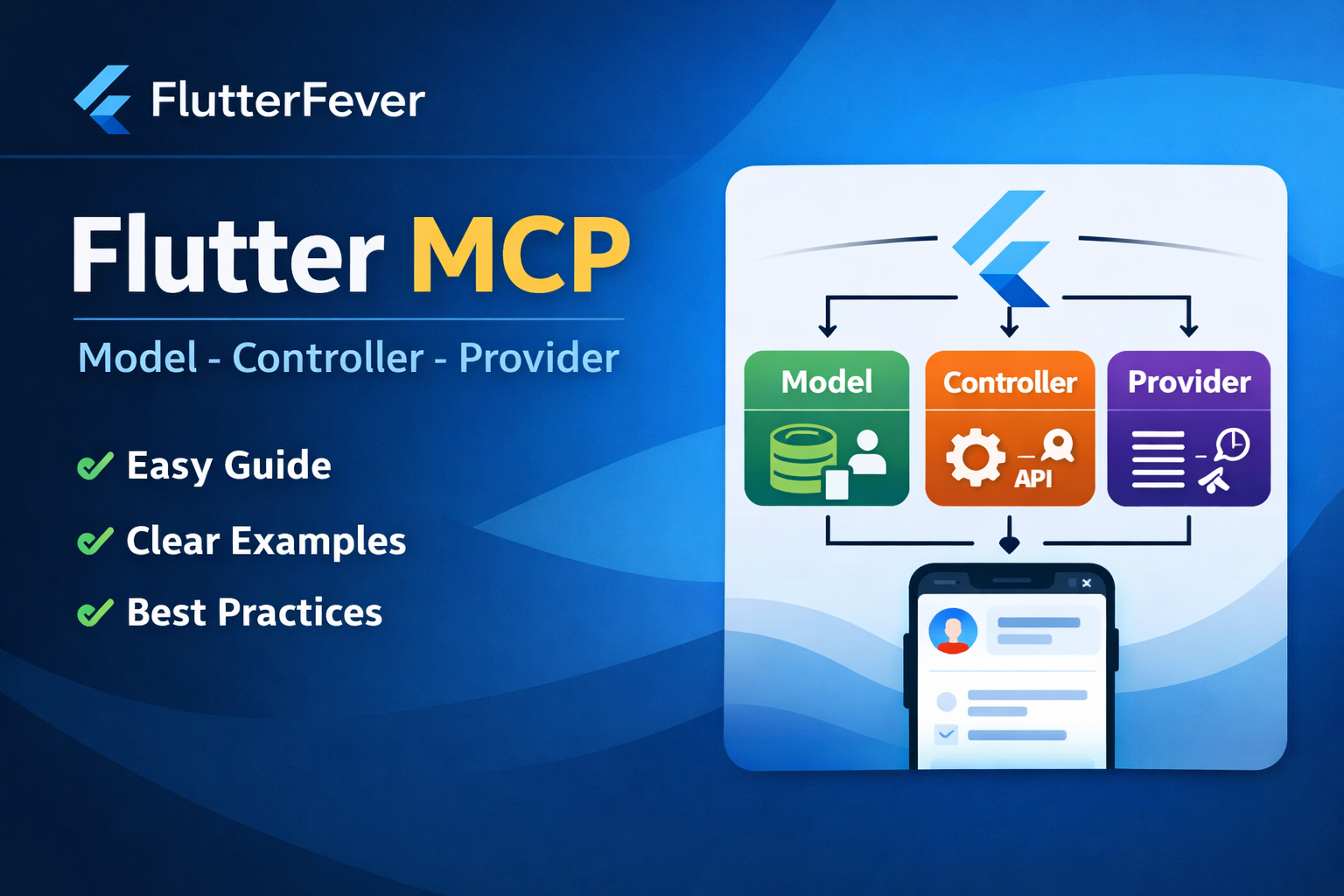
As Flutter applications grow, managing code becomes more challenging.
What starts as a small project quickly turns into a complex app with APIs, state management, business logic, and UI updates happening together.
This is where Flutter MCP comes in.
Flutter MCP (Model–Controller–Provider) is a simple yet powerful architectural approach that helps developers build clean, scalable, and maintainable Flutter applications.
What is Flutter MCP?Flutter MCP stands for:
- M – Model
- C – Controller
- P – Provider
It is an architectural pattern that separates your Flutter app into logical layers so that each part has a clear responsibility.
In simple words:
Flutter MCP helps you organize your Flutter app so UI, logic, and data do not get mixed together.
Why Flutter MCP is Important in Flutter Development
Many Flutter beginners write everything inside widgets:
- API calls inside UI
- Business logic in build methods
- State changes scattered everywhere
This causes problems such as:
- Hard-to-read code
- Difficult debugging
- Poor scalability
- Repeated logic
- Difficult teamwork
Flutter MCP solves these problems by enforcing separation of concerns.
Understanding Flutter MCP Components One by One
1. Model in Flutter MCP
The Model represents your data structure.
It contains:
- Variables
- Data mapping
- JSON parsing
- Business data representation
The model does not contain UI or logic.
Example: User Model
class UserModel {
  final int id;
  final String name;
  final String email;

  UserModel({
    required this.id,
    required this.name,
    required this.email,
  });

  factory UserModel.fromJson(Map<String, dynamic> json) {
    return UserModel(
      id: json['id'],
      name: json['name'],
      email: json['email'],
    );
  }
}
Why this is important:
- Keeps data clean
- Easy API integration
- Easy to reuse across the app
2. Controller in Flutter MCP
The Controller handles the business logic of your app.
It is responsible for:
- Calling APIs
- Processing data
- Handling app logic
- Talking to Providers
Controllers do not handle UI.
Example: User Controller
class UserController {
  Future<UserModel> fetchUser() async {
    // Simulated API response
    final response = {
      "id": 1,
      "name": "John Doe",
      "email": "john@example.com"
    };

    return UserModel.fromJson(response);
  }
}
Why Controllers matter:
- Business logic stays outside UI
- Easy testing
- Clean architecture
3. Provider in Flutter MCP
The Provider is the state management layer.
It:
- Holds app state
- Listens for changes
- Updates UI automatically
- Connects Controller and UI
Flutter MCP usually uses the Provider package, but the concept works with Riverpod or ChangeNotifier as well.
Example: User Provider
class UserProvider extends ChangeNotifier {
  final UserController _controller = UserController();

  UserModel? user;
  bool isLoading = false;

  Future<void> loadUser() async {
    isLoading = true;
    notifyListeners();

    user = await _controller.fetchUser();

    isLoading = false;
    notifyListeners();
  }
}
Why Provider is powerful:
- Automatic UI updates
- Centralized state
- Cleaner widgets
How Flutter MCP Works Together
Here is the data flow:
- UI requests data
- Provider calls Controller
- Controller fetches or processes data
- Data is converted into Model
- Provider updates state
- UI rebuilds automatically
This makes the app predictable and easy to debug.
Flutter MCP Folder Structure (Recommended)
lib/
│
├── models/
│   └── user_model.dart
│
├── controllers/
│   └── user_controller.dart
│
├── providers/
│   └── user_provider.dart
│
├── screens/
│   └── user_screen.dart
│
└── main.dart
This structure is industry-friendly, and perfect for scalable apps.
Example: Flutter MCP in a UI Screen
class UserScreen extends StatelessWidget {
  @override
  Widget build(BuildContext context) {
    return ChangeNotifierProvider(
      create: (_) => UserProvider()..loadUser(),
      child: Scaffold(
        appBar: AppBar(title: const Text('Flutter MCP Example')),
        body: Consumer<UserProvider>(
          builder: (context, provider, _) {
            if (provider.isLoading) {
              return const Center(child: CircularProgressIndicator());
            }

            if (provider.user == null) {
              return const Center(child: Text('No Data'));
            }

            return Center(
              child: Text(
                provider.user!.name,
                style: const TextStyle(fontSize: 20),
              ),
            );
          },
        ),
      ),
    );
  }
}
Notice:
- No API logic in UI
- No data parsing in UI
- Clean and readable code
Benefits of Flutter MCP Architecture
- Clean code structure
- Easy debugging
- High scalability
- Better teamwork
- Easier testing
- Beginner-friendly
- Production-ready architecture
Flutter MCP vs MVC vs MVVM
| Architecture | Flutter Friendly | Complexity | Scalability |
|---|---|---|---|
| MVC | Medium | High | Medium |
| MVVM | High | High | High |
| MCP | Very High | Low | High |
Flutter MCP is often easier for beginners compared to MVVM.
When Should You Use Flutter MCP?
Use Flutter MCP when:
- App has API calls
- App has dynamic UI
- App needs clean structure
- App is medium to large
- You plan long-term maintenance
Avoid MCP only for very small demo apps.
Common Mistakes in Flutter MCP
- Putting UI logic in Controller
- Making Provider too heavy
- Skipping Models
- Direct API calls from UI
Avoid these to keep MCP clean.
Conclusion
Flutter MCP is not a framework — it is a thinking pattern.
If you want to:
- Write professional Flutter code
- Build scalable apps
- Prepare for real-world projects
- Improve code readability
Then Flutter MCP is a must-learn architecture.
Read Article : Mastering Asynchronous Programming in Dart
Frequently Asked Questions (FAQ)
No, it is a community-driven architectural approach.
Yes, it is easier than MVVM and very beginner-friendly.
Yes, Provider can be replaced with Riverpod.
Yes, it scales very well.
Indirectly yes, because state updates are controlled.
Yes, Controller and Provider concepts map well to GetX.
For Flutter apps, yes.
Use it when your app grows beyond basic UI.
Slightly, but it saves time long-term.
Yes, interviewers love structured architecture knowledge.