

Flutter App Architecture in the AI Era: Why Code Generation Isn’t Enough

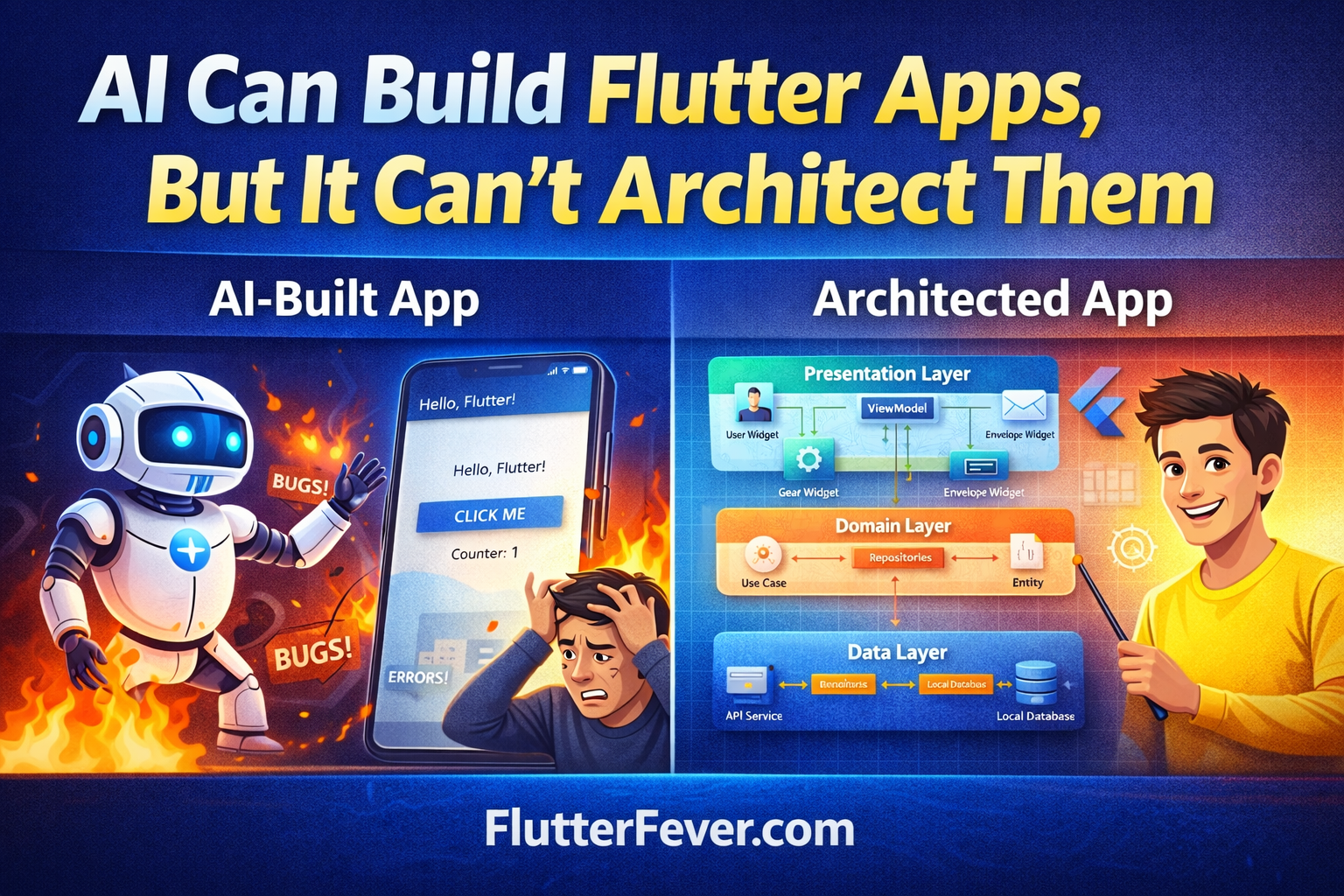
Artificial intelligence has rapidly transformed software development workflows. Today, a developer can prompt an AI assistant and instantly receive working Flutter code for screens, models, navigation, and even basic state management.
For beginners, this feels like magic. For experienced engineers, however, it raises an important question:
Can AI really build production-ready mobile apps?
The answer is both yes and no.
AI is extremely effective at generating functional code quickly. It can scaffold user interfaces, create API models, and assemble basic application flows. However, when it comes to designing long-term architecture, AI still struggles.
Architecture is not just about code. It is about designing systems that survive growth, scale, and team collaboration.
Understanding this distinction is essential for modern Flutter developers.
The Difference Between Writing Code and Designing Architecture
Many developers assume architecture simply means organizing folders or using a specific state management library.
In reality, architecture answers deeper questions:
- How will the app scale when features increase?
- How will multiple developers work on the same codebase?
- How will the system remain testable?
- How will dependencies be managed?
- How will performance remain stable as usage grows?
AI-generated code typically focuses on solving the immediate problem, such as rendering a screen or connecting an API.
Architecture focuses on solving the future problems that appear when the application evolves.
The “Demo App” Trap in AI-Generated Flutter Code
AI-generated Flutter apps often look impressive in demos. The UI renders correctly, navigation works, and simple interactions behave as expected.
However, when these applications grow beyond a few screens, several structural issues often appear.
1. Global State Problems
AI frequently defaults to simple approaches such as:
setState- large
ChangeNotifierclasses - global variables
While this works in small apps, large projects quickly become difficult to debug.
Example:
setState(() {
  userData = newData;
});
If multiple widgets depend on this state, unnecessary rebuilds occur throughout the application.
This leads to:
- performance drops
- difficult debugging
- unpredictable UI behavior
2. Widget Complexity
AI tends to generate large widget trees inside a single build method.
Developers often encounter code like:
Widget build(BuildContext context) {
   return Scaffold(
      body: Column(
         children: [
           // hundreds of lines
         ]
      )
   );
}
In production apps, widgets should be small and composable.
Breaking UI into reusable components improves readability and performance.
3. Tight Coupling Between Layers
AI-generated apps often mix responsibilities.
For example:
- UI widgets directly calling APIs
- business logic inside UI components
- database logic inside state classes
Example of problematic code:
Future<void> fetchData() async {
  final response = await http.get(url);
  setState(() {
     data = response.body;
  });
}
Here, networking, state management, and UI updates are tightly coupled.
Professional Flutter architecture separates these responsibilities.
What Professional Flutter Architecture Looks Like
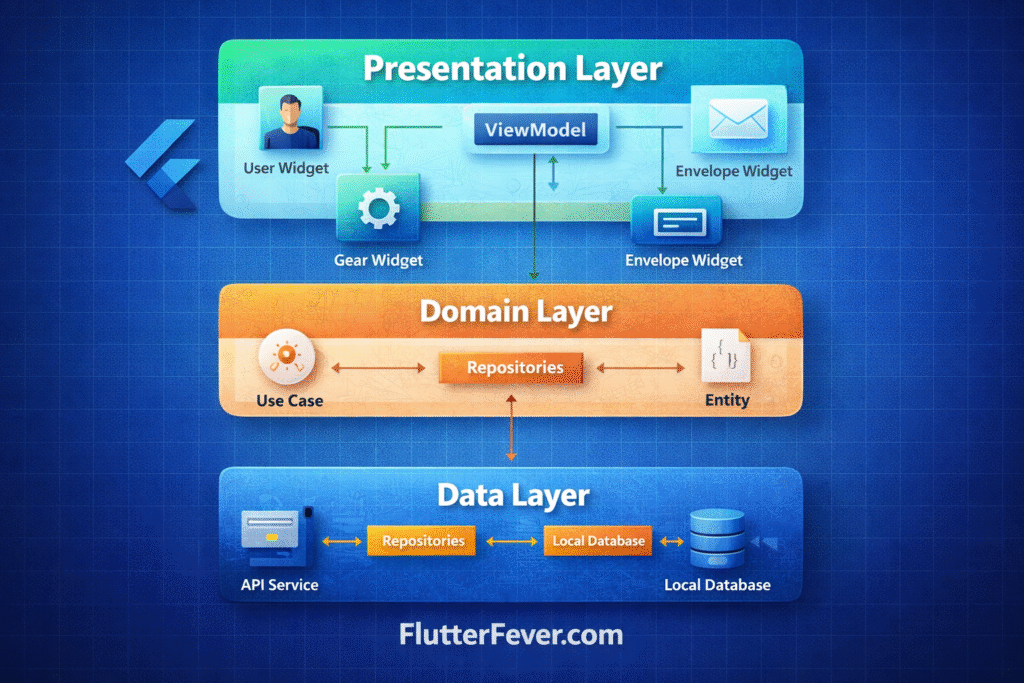
Professional Flutter applications typically follow a layered architecture.
A common approach inspired by Clean Architecture divides the application into three main layers.
Presentation Layer
Handles UI and user interaction.
Examples:
- Widgets
- ViewModels
- UI state
Domain Layer
Contains business logic.
Examples:
- use cases
- application rules
- entity models
Data Layer
Handles data sources.
Examples:
- API services
- repositories
- local database access
This separation ensures that UI changes do not affect business logic.
Example Flutter Architecture Structure
A scalable Flutter project often uses a feature-based structure.
Example:
lib
 ├── core
 │   ├── network
 │   ├── services
 │
 ├── features
 │   ├── auth
 │   │   ├── data
 │   │   ├── domain
 │   │   ├── presentation
 │
 │   ├── home
 │   ├── chat
 │
 ├── shared
 │   ├── widgets
 │   ├── utils
 │
 └── main.dart
This structure allows teams to work on independent features without interfering with other modules.
The Hybrid Workflow: AI + Engineering Architecture
Instead of rejecting AI tools, professional developers combine AI productivity with structured architecture.
Think of the development process in two phases.
Phase 1: AI-Assisted Scaffolding
AI is extremely useful for generating repetitive code.
Developers can use AI to generate:
- UI layouts
- model classes
- API integration code
- navigation structure
- simple widgets
Example prompt:
“Create a Flutter login screen with email validation and password input.”
Within seconds, AI can produce usable UI code.
At this stage, the goal is speed and experimentation, not perfection.
Read : GenUI + Firebase AI in Flutter (2026): Building Dynamic, AI-Driven User Interfaces
Phase 2: Human-Led Architecture
Once the basic structure exists, developers must reorganize the codebase.
This involves:
- separating UI from logic
- implementing repositories
- introducing dependency injection
- defining feature boundaries
Example refactor:
Instead of:
UI → API Call
Use:
UI → ViewModel → Repository → API Service
This ensures the application remains maintainable.
Dependency Injection in Flutter
Dependency injection allows components to receive services instead of creating them directly.
Example using get_it:
final locator = GetIt.instance;void setup() {
  locator.registerLazySingleton<ApiService>(() => ApiService());
}
Widgets can then access services without tightly coupling to implementations.
This improves:
- testing
- modularity
- maintainability
Scaling Flutter Applications for Real Users
Production apps must handle challenges that prototypes rarely encounter.
These include:
- large data sets
- heavy UI rendering
- background tasks
- asynchronous operations
Lazy Rendering
Large lists should always use builders.
Example:
ListView.builder(
  itemCount: items.length,
  itemBuilder: (context, index) {
    return ItemWidget(items[index]);
  },
)
This ensures only visible items are rendered.
Offloading Heavy Work
Expensive operations should not run on the UI thread.
Use isolates for tasks such as:
- Image processing
- large JSON parsing
- AI inference
This prevents UI lag and dropped frames.
Read : How to Use Isolates for CPU-Intensive Tasks in Dart?
What AI Still Cannot Replace
Despite its capabilities, AI cannot replace several critical aspects of software engineering.
AI cannot fully understand:
- Product roadmap
- Long-term scaling requirements
- team collaboration needs
- Security implications
- Architecture tradeoffs
These decisions require human judgment.
AI is best used as a tool, not as a replacement for engineering thinking.
Personal Rules for Using AI in Flutter Development
Experienced developers often follow practical guidelines when integrating AI tools.
Examples include:
- Never ship code you cannot explain
- Always review security-related logic
- Refactor generated code before scaling features
- Treat AI output as a starting point, not the final solution
These principles ensure the benefits of AI without sacrificing code quality.
The Real Goal of Flutter Architecture
The purpose of architecture is not to make code complex.
It is to make systems sustainable.
Well-architected Flutter apps enable:
- Faster feature development
- Easier debugging
- Better performance
- Team scalability
- Long-term maintainability
Architecture is an investment that pays off as applications grow.
Read : How to Design Flutter Enterprise App Architecture in 2026: Scalable & AI-Ready App Systems
Conclusion
AI has become one of the most powerful tools available to developers. It can accelerate Flutter development dramatically, generating large portions of application code within seconds.
However, the responsibility of designing scalable application architecture still belongs to engineers.
The most successful Flutter teams do not rely solely on AI or purely manual development. Instead, they combine both approaches:
- AI for speed
- Architecture for sustainability
By treating AI as an assistant rather than an architect, developers can build Flutter applications that not only launch quickly but also continue to perform reliably as they grow.
Frequently Asked Questions About Flutter App Architecture
Flutter app architecture refers to how a Flutter application is structured and organized so that it remains scalable, maintainable, and easy to understand. It defines how UI, business logic, and data layers interact with each other while keeping responsibilities separated.
Architecture is important because it helps developers manage complex applications as they grow. A well-designed architecture improves maintainability, scalability, testability, and collaboration among multiple developers working on the same project.
Yes, AI tools can generate Flutter code such as UI screens, models, navigation flows, and API integration. However, AI typically focuses on solving immediate coding tasks and may not design long-term scalable architecture required for production applications.
AI-generated Flutter apps often struggle at scale because they may include tightly coupled code, global state management, overly large widgets, and poor separation of concerns. These issues become difficult to maintain when the application grows.
Common Flutter architecture patterns include:
Clean Architecture
MVVM (Model–View–ViewModel)
Repository Pattern
Feature-based modular architecture
The best approach depends on the complexity and size of the application.
Beginners should focus first on learning Flutter widgets and basic state management. However, once an application grows beyond a few screens or involves APIs and multiple developers, adopting proper architecture becomes important.
Read Articles: Flutter Developer Roadmap 2026: Complete Skill Path, Career Scope, and Future Trends