

Notebook LLM: Advanced Features & Practical Use Cases For Developer

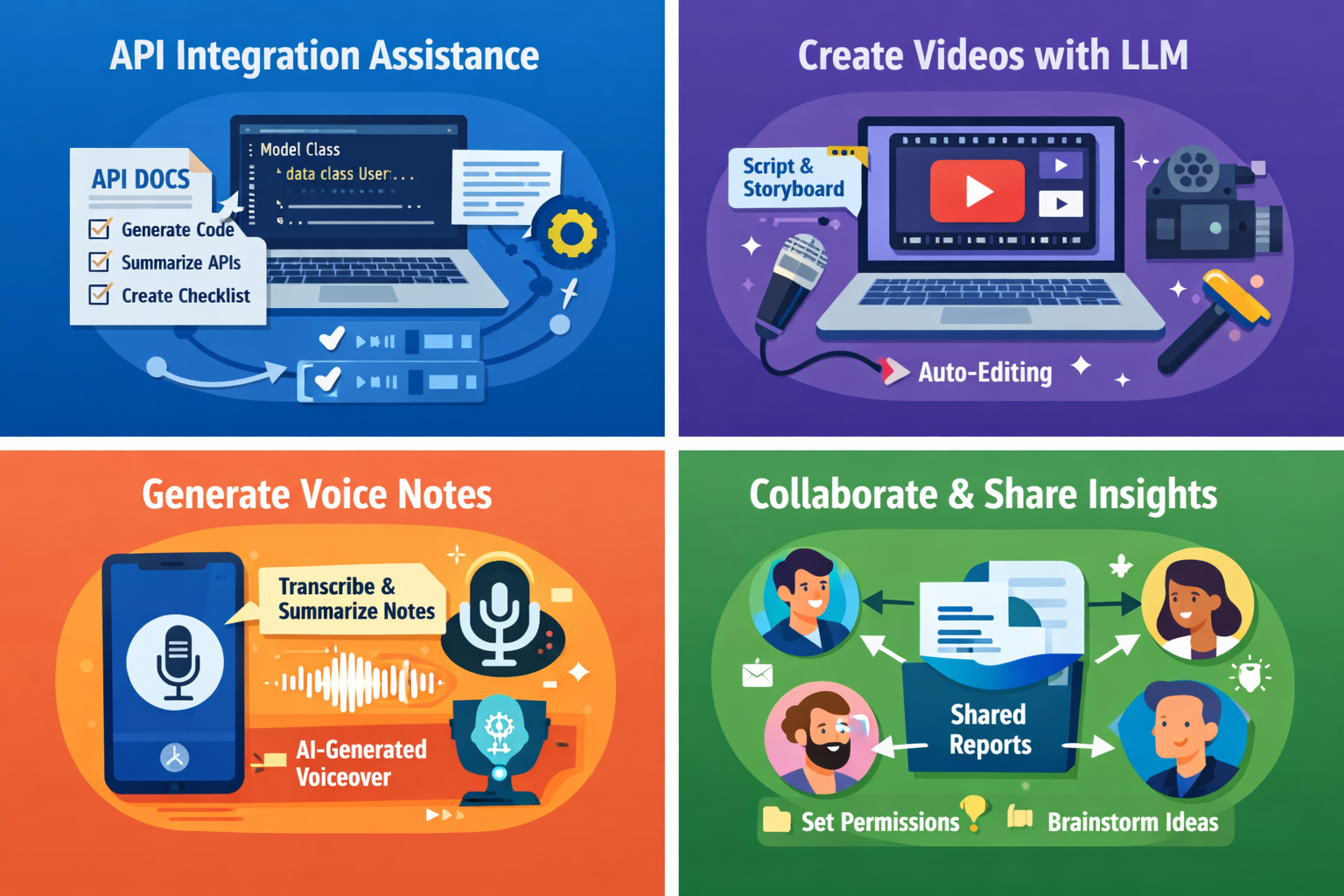
Artificial Intelligence is evolving fast, but one tool that is quietly transforming how developers research, document, and build apps is Notebook LLM. If you are a Flutter developer who works with documentation, APIs, research papers, or client requirements daily, this article will show you how Notebook LLM can become your personal technical assistant.
In this in-depth guide, we will cover:
- What is Notebook LLM
- Advanced features of Notebook LLM
- Practical real-world use cases for Flutter developers
- Developer workflow examples
- Notebook LLM cheat sheet
This article is written specifically for developers who want to use Notebook LLM as a productivity multiplier.
What is Notebook LLM?
NotebookLM is an AI-powered research and reasoning assistant developed by Google. Unlike traditional chat-based AI tools, Notebook LLM works primarily on your uploaded documents.
It does not rely on general internet knowledge only. Instead, it:
- Reads your PDFs
- Understands your Google Docs
- Analyzes research notes
- Processes technical specifications
- Generates insights strictly based on your uploaded sources
This makes Notebook LLM extremely powerful for developers who deal with documentation-heavy workflows.
Why Notebook LLM Matters for Flutter Developers
Flutter developers often struggle with:
- Understanding large API documentation
- Reading backend requirement docs
- Managing feature specifications
- Writing technical documentation
- Preparing architecture notes
- Reviewing RFCs and design docs
Notebook LLM solves this by becoming a context-aware assistant trained on your own documents.
Instead of asking:
“How does this API work?”
You upload the API documentation and ask:
“Summarize authentication flow for Flutter integration.”
And it answers based only on your uploaded source.
That’s the real power of Notebook LLM.
Advanced Features of Notebook LLM
Let’s go deeper into the advanced features of Notebook LLM that developers can leverage.
1. Source-Grounded Answers
Notebook LLM answers only from your uploaded sources. It also shows citations.
For developers, this means:
- No hallucinated API endpoints
- No fake parameters
- Answers tied to real documentation
Practical Flutter Example:
Upload backend API PDF → Ask:
“Generate Dart model class based on response schema in section 4.”
Notebook LLM extracts only the documented structure.
2. Automatic Document Summarization
Upload:
- 100-page technical PDF
- Product requirement document
- Firebase architecture guide
Ask:
“Summarize the key integration steps for mobile clients.”
This reduces hours of reading into structured actionable insights.
3. Smart Questioning Based on Context
You can ask layered questions like:
- “What are all required headers?”
- “What is missing in the error handling section?”
- “Which parts affect mobile SDK integration?”
Notebook LLM maintains context of your document set.
4. Multi-Document Reasoning
Upload:
- Backend API doc
- Database schema
- Product roadmap
Ask:
“Is the new payment flow consistent with database constraints?”
Notebook LLM connects multiple documents and identifies inconsistencies.
For Flutter devs building large apps, this is extremely powerful.
5. Structured Notes & Knowledge Base
Notebook LLM creates:
- Structured outlines
- Key point extraction
- Highlighted references
- Study guides
This is useful for:
- Team onboarding
- Documentation writing
- Technical presentations
Read Articles: How to Design Flutter Enterprise App Architecture in 2026: Scalable & AI-Ready App Systems
Real Practical Use Cases of Notebook LLM for Flutter Developers
Now let’s go real-world.
Use Case 1: API Integration Acceleration
Scenario:
You receive 60-page backend API documentation.
Instead of manually reading:
Upload it to Notebook LLM.
Ask:
- “Generate Dart model classes.”
- “List all authentication endpoints.”
- “Summarize error codes for mobile.”
- “Create integration checklist.”
Result:
You save 3–4 hours of manual reading.
Use Case 2: Firebase + Flutter Architecture Planning
Upload:
- Firebase documentation
- Project architecture draft
Ask:
- “Design scalable state management structure.”
- “Suggest folder structure for Flutter.”
- “Explain Firestore security rule concerns.”
Notebook LLM analyzes both documents and responds contextually.
Use Case 3: Code Review Assistance
Upload:
- Flutter project documentation
- Architecture guidelines
Ask:
- “Does current navigation system align with architecture doc?”
- “Suggest improvements for modularization.”
It gives structured improvement suggestions.
Use Case 4: Feature Planning
Upload:
- Product requirement document
- UX wireframes description
Ask:
- “Break this feature into Flutter tasks.”
- “Create development sprint checklist.”
- “Identify potential technical risks.”
This turns Notebook LLM into a technical project manager.
Notebook LLM + Flutter Workflow Example
Here’s a practical workflow:
Step 1: Upload backend API PDF
Step 2: Upload DB schema
Step 3: Ask for:
- Data models
- Repository layer plan
- Error handling mapping
- Edge case detection
Step 4: Generate integration checklist
Step 5: Convert output into actual Dart code
This dramatically increases development speed.
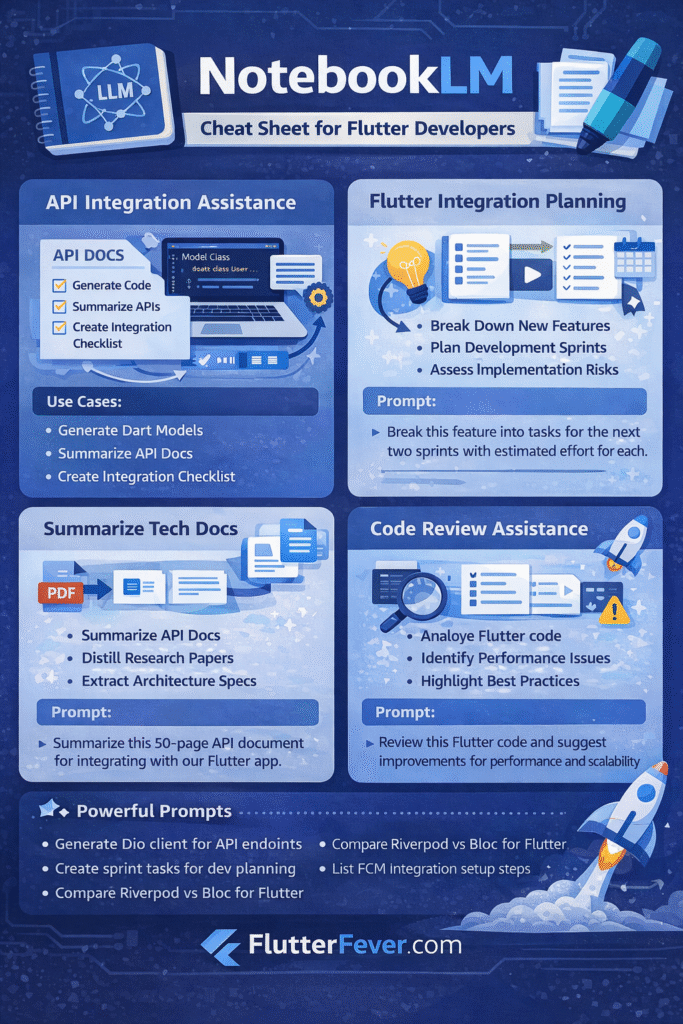
Notebook LLM Developer Cheat Sheet
Here is a practical cheat sheet for developers using Notebook LLM.
Upload Strategy
Upload:
Avoid uploading random unrelated content.
Powerful Prompt Examples
Instead of generic prompts, use structured ones:
Bad:
Explain this document.
Good:
Summarize authentication logic for mobile integration.
Better:
Extract API endpoints, required headers, and response schema for Flutter Dio implementation.
Advanced Developer Prompts
- “Generate Dart data model from JSON example in section 3.”
- “List all breaking changes mentioned.”
- “Create integration test checklist.”
- “Compare version 1 and version 2 API differences.”
- “Suggest optimization areas for mobile performance.”
Multi-Source Reasoning Prompt
Based on API doc and DB schema, check if response fields match database structure.
Sprint Planning Prompt
Break this feature into 5 development milestones suitable for Flutter team.
Limitations of Notebook LLM
Even though Notebook LLM is powerful:
- It cannot directly access private APIs
- It cannot execute code
- It depends entirely on uploaded sources
- It is not a replacement for deep architectural thinking
It is an intelligent assistant, not a decision-maker.
Read Articles : Notebook LM for Flutter Developers: Research Faster, Build Better
How to Create Video Using LLM
Large Language Models are not limited to text. You can use LLMs to generate full video workflows including:
- Script writing
- Storyboarding
- Subtitle generation
- Voiceover script
- Thumbnail ideas
Step 1: Generate Script Using LLM
Prompt Example:
Create a 5-minute technical YouTube script explaining
Flutter state management comparison between Provider, Bloc and Riverpod.
Target audience: Intermediate developers.
Include real code example explanation.
The LLM will generate:
- Hook
- Introduction
- Structured explanation
- Code explanation
- Conclusion
- CTA
Step 2: Create Storyboard
Prompt:
Break this script into scenes with visual suggestions.
Add screen recording guidance.
Add animation ideas.
You now have:
- Scene 1: Problem statement
- Scene 2: Code comparison
- Scene 3: Architecture diagram
- Scene 4: Performance summary
Step 3: Convert Script to AI Voice
You can use:
- ElevenLabs
- Play.ht
- Azure TTS
- OpenAI TTS models
Read Articles : Codex CLI, OpenAI Codex, ChatGPT Codex — How to Build Flutter Apps Smartly in 2026
Prompt:
Convert this script into natural developer-friendly narration.
Tone: Professional, calm, confident.
Export MP3.
Step 4: Auto Video Creation Tools
Use tools like:
- Pictory
- Synthesia
- Runway
- Canva AI Video
Upload script → Auto generate visuals → Add AI voice → Export.
How to Create Voice Notes Using LLM
Voice notes are powerful for:
- Developer summaries
- Sprint explanation
- API documentation audio
- Quick internal team updates
Method 1: Text → Voice
- Ask LLM to summarize content.
- Generate audio using TTS.
- Send MP3 to team or attach to blog.
Prompt:
Summarize this 2000-word article into a 2-minute developer-friendly audio script.
Method 2: Voice → Text → Summary
Workflow:
- Record meeting.
- Transcribe using Whisper AI.
- Ask LLM:
Extract action items.
Create sprint checklist.
Generate structured summary.
This is extremely useful for Flutter team leads.
How to Collaborate Using AI Tools
AI is not just for content generation. It can improve team collaboration.
1. Shared Documentation Analysis
Upload:
- Architecture doc
- API spec
- Feature proposal
Read Articles: Flutter for IoT and IIoT : Building Real-Time Smart Device Applications
Ask:
Generate feedback checklist for team review.
Highlight potential risks.
Share output in:
- Notion
- Google Docs
- GitHub Issues
Read Articles : Flutter AI App Builder: The Next Evolution of Cross-Platform Product Engineering
2. AI Sprint Planner
Prompt:
Break this feature into 5 Flutter tasks.
Add estimated effort level.
Instant sprint planning.
3. Code Review Assistant
Prompt:
Review this Flutter code for scalability and performance risks.
AI provides structured suggestions.
4. Cross-Team Communication Simplifier
Prompt:
Convert this technical explanation into non-technical explanation for stakeholders.
Very useful when communicating with product managers.
Advanced Real Use Case: Flutter + LLM Integration
You can integrate LLM into Flutter app using:
- OpenAI API
- Gemini API
- Azure OpenAI
- Custom hosted models
Example Use Cases in Flutter Apps:
- AI Chat Assistant inside app
- Auto FAQ generator
- AI-based code helper inside developer tools
- Meeting summarizer feature
- Voice assistant inside productivity apps
Example Flutter API call (concept):
final response = await dio.post(
  'https://api.openai.com/v1/chat/completions',
  data: {
    "model": "gpt-4",
    "messages": [
      {"role": "user", "content": "Summarize this document"}
    ]
  },
  options: Options(
    headers: {
      "Authorization": "Bearer YOUR_API_KEY"
    }
  ),
);
Notebook LLM for Video Creation, Voice Generation and AI Collaboration
Notebook LLM is not limited to document summarization. Developers can extend its use for video creation workflows, AI voice generation, and collaborative documentation systems.
By combining Notebook LLM with text-to-speech tools and AI video platforms, developers can:
- Convert technical documentation into YouTube tutorials
- Generate podcast-style voice notes
- Automate meeting summaries
- Improve sprint planning
- Enhance team collaboration
This makes Notebook LLM an advanced productivity engine for modern software teams.
Download Cheat Sheets Notebook LM
Conclusion
Notebook LLM is not just another AI chatbot. For developers, especially Flutter developers, it acts as:
- A documentation analyzer
- A structured research assistant
- A technical summarizer
- A sprint planner
- A knowledge extraction engine
If used correctly, Notebook LLM can:
- Reduce integration time
- Improve architectural clarity
- Enhance documentation quality
- Speed up feature planning
For serious developers building scalable apps, Notebook LLM is a powerful productivity tool.
FAQs (Notebook LLM)
Notebook LLM is used for document-based AI reasoning. Developers use it to analyze API documentation, summarize technical PDFs, and extract structured insights.
Yes. Flutter developers can use Notebook LLM for API integration planning, architecture review, sprint breakdown, and documentation analysis.
It can generate code suggestions based on uploaded documentation but does not execute code.
Notebook LLM is better when you want answers strictly based on your uploaded documents.
Yes. One of the advanced features of Notebook LLM is multi-document reasoning, allowing cross-analysis between different sources.
References
- Google Help: Learn about NotebookLM
- Google Workspace: NotebookLM product page + privacy notes
- Google Help: Generate Audio Overviews
- Google Blog: Deep Research + new file types