

Flutter 3.41 : What’s New, Key Features, and Why Developers Should Upgrade

Flutter 3.41 is officially released, and this version represents one of the most important structural upgrades in Flutter’s recent evolution.
Rather than introducing flashy UI components, Flutter 3.41 focuses on:
- Performance refinement
- Structural transparency
- Modular framework architecture
- Ecosystem modernization
- Improved tooling and DevTools
- Enhanced platform alignment
For production developers and teams building scalable cross-platform applications, this update matters.
In this comprehensive guide, we will cover:
- What’s new in Flutter 3.41
- Architectural changes and release transparency
- Performance improvements explained clearly
- Real-world use cases
- Code examples for practical implementation
- Platform-specific updates (iOS, Android, Desktop)
- Accessibility and animation enhancements
- Upgrade recommendations
Let’s dive deep.
1. Public Release Windows: A Major Step Toward Transparency
One of the most significant changes in Flutter 3.41 is the introduction of Public Release Windows.
What Are Public Release Windows?
Flutter now clearly announces:
- Branch cutoff dates
- Stable release targets
- Contribution deadlines
This means developers and contributors now know exactly when a change will land in a stable release.
2026 Stable Release Plan
- Flutter 3.41 — February (Branched January 6)
- Flutter 3.44 — May
- Flutter 3.47 — August
- Flutter 3.50 — November
Why This Matters
For enterprise teams and open-source contributors:
- Better planning
- Predictable delivery cycles
- Reduced uncertainty
- Safer feature landing
This marks a maturing open-source governance model.
2. Decoupling Material & Cupertino Libraries
Flutter is actively migrating Material and Cupertino libraries into separate packages.
Benefits of Decoupling
Faster Design Updates
Design improvements no longer need to wait for a full quarterly SDK release.
Independent Upgrades
You can update UI packages even if you remain on an older Flutter SDK.
Adaptive Design Readiness
When Apple or Google introduce major design shifts (e.g., Material 3 updates), Flutter can respond faster.
This is a long-term architectural improvement that increases framework flexibility.
3. Performance Improvements in Flutter 3.41
Performance is not flashy, but it directly impacts user retention.
Flutter 3.41 improves:
- Rendering efficiency
- Shader compilation latency
- Memory handling
- Startup consistency
Reduced Shader Compilation Stutter
Previously, creating shader textures could introduce frame delay.
Flutter 3.41 introduces synchronous image decoding.
Practical Example
void attachTexture(ui.FragmentShader shader) {
  ui.PictureRecorder recorder = ui.PictureRecorder();
  Canvas canvas = Canvas(recorder);  canvas.drawCircle(
    const Offset(64, 64),
    64,
    Paint()..color = Colors.red,
  );  ui.Picture picture = recorder.endRecording();  ui.Image image = picture.toImageSync(
    128,
    128,
    targetFormat: ui.TargetPixelFormat.rFloat32,
  );  shader.setImageSampler(0, image);
}
Real-World Use Cases
- GPU-accelerated photo filters
- Game-style UI transitions
- LUT-based color correction
- Advanced animation effects
Flutter now supports high bitrate textures up to 128-bit float, unlocking more advanced GPU rendering capabilities.
Read Articles: Flutter Advance Animation: Implicit and Explicit Animations
4. Platform-Specific Assets (Smaller Builds, Cleaner Apps)
Flutter 3.41 introduces platform-aware asset bundling.
Example Configuration
flutter:
  assets:
    - path: assets/logo.png
    - path: assets/web_worker.js
      platforms: [web]
    - path: assets/desktop_icon.png
      platforms: [windows, linux, macos]
Why Developers Should Care
- Reduced APK size
- Reduced IPA size
- Smaller web bundles
- Improved load performance
- Cleaner multi-platform deployments
For apps targeting Android, iOS, Web, Windows, macOS, and Linux, this is a major optimization tool.
5. Add-to-App Improvements (Hybrid Apps Made Easier)
Flutter 3.41 improves content-sized Flutter views inside native apps.
Previously:
Flutter views required fixed dimensions.
Now:
Flutter views can auto-resize based on content.
iOS Example
flutterViewController.isAutoResizable = true
Android Manifest Example
<FlutterView
    android:layout_width="wrap_content"
    android:layout_height="wrap_content" />
Use Cases
- Embedding Flutter in native scroll views
- Gradual migration from native to Flutter
- Enterprise hybrid apps
This significantly simplifies hybrid architecture.
6. Navigation & Scrolling Enhancements
Flutter 3.41 introduces:
Navigator.popUntilWithResult
You can now pop multiple routes and return a value in one call.
Navigator.popUntilWithResult(
  context,
  ModalRoute.withName('/home'),
  'Success',
);
This simplifies:
- Multi-step forms
- Checkout flows
- Authentication flows
Also improved:
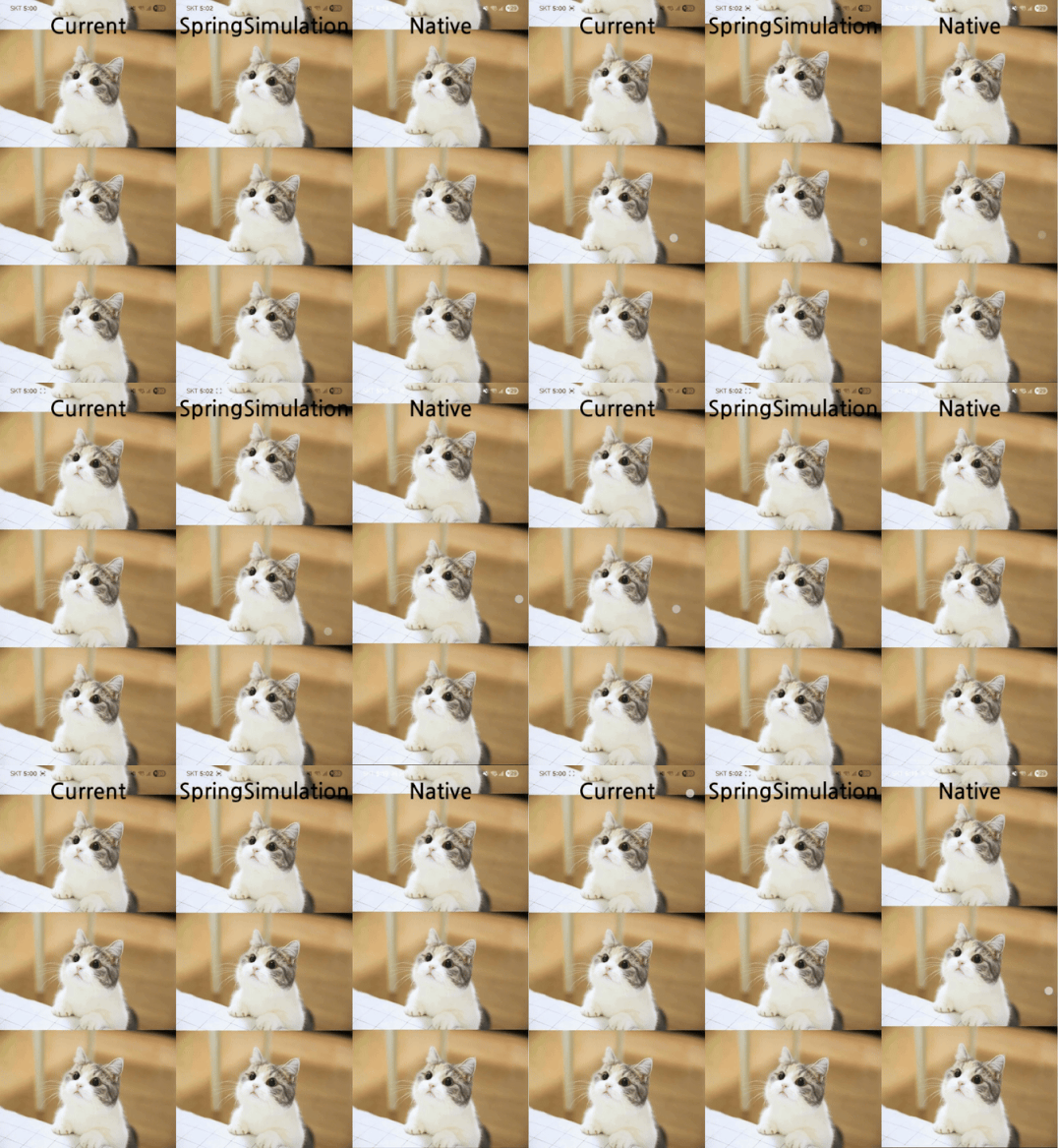
- StretchingOverscrollIndicator (more natural physics)
- NestedScrollView pinned header fixes
Scrolling feels more fluid and platform-consistent.
7. DevTools Improvements
DevTools are now compiled using dart2wasm, improving:
- Performance
- Stability
- Load times
Additional improvements:
- Auto-retry dropped connections
- Better profiling accuracy
- More stable debugging sessions
For production teams using CI/CD, this improves reliability.
8. Swift Package Manager & iOS Modernization
Flutter continues transitioning from CocoaPods to Swift Package Manager (SPM).
Why It Matters
- SPM is Apple’s official standard
- Faster builds
- Better long-term compatibility
- Required for future iOS versions
Flutter now also supports UIScene lifecycle by default, ensuring compatibility with upcoming iOS updates.
9. Android Gradle Plugin 9 (Important Note)
Flutter is aligning with AGP 9, but plugin migration is still in progress.
Important:
Do not upgrade to AGP 9 yet unless official guidance confirms full support.
10. Accessibility Improvements
Flutter 3.41 enhances accessibility support:
- Native announcements for progress indicators
- Web text spacing override support
- New accessibility testing matchers
This improves inclusivity and compliance.
11. RepeatingAnimationBuilder (Declarative Continuous Animation)
Flutter introduces a new primitive for continuous animations.
RepeatingAnimationBuilder<Offset>(
  animatable: Tween(
    begin: const Offset(-1.0, 0.0),
    end: const Offset(1.0, 0.0),
  ),
  duration: const Duration(seconds: 1),
  repeatMode: RepeatMode.reverse,
  builder: (context, offset, child) {
    return FractionalTranslation(
      translation: offset,
      child: child,
    );
  },
  child: const SizedBox.square(dimension: 100),
);
Use this for:
- Shimmer effects
- Loading animations
- Pulsing UI components
Should You Upgrade to Flutter 3.41?
Yes, especially for production apps.
Upgrade if:
- You want better performance consistency
- You build multi-platform apps
- You rely on shaders
- You want smaller builds
Before upgrading:
- Run
flutter doctor - Check dependency compatibility
- Test on physical devices
- Review release notes
Most applications migrate smoothly.
Conclusions
Flutter 3.41 represents framework maturity.
It improves:
- Stability
- Transparency
- Performance
- Ecosystem alignment
- Modular architecture
This release confirms Flutter’s direction toward becoming an enterprise-grade, production-focused framework.
To upgrade:
flutter upgrade
Then test thoroughly.
or Download Flutter : Download Flutter SDK (Windows) — Also for Mac & Linux
Frequently Asked Questions
Yes, it is a stable release.
Yes, especially rendering efficiency and shader handling.
Yes, via platform-specific asset bundling.
Some ecosystem migrations are ongoing. Always review official notes.
Yes, unless a specific dependency blocks you.
You can check the official Flutter release notes, breaking changes page, and “What’s new in Flutter 3.41” blog post. These are the best sources for verified features and upgrade information.
Developers should upgrade to get the latest performance improvements, bug fixes, UI polish, and compatibility updates. Upgrading also helps keep projects aligned with current Flutter tooling and platform support.
References
- Flutter Release Notes
https://docs.flutter.dev/release/whats-new - Flutter GitHub
https://github.com/flutter/flutter - DevTools Updates
https://docs.flutter.dev/development/tools/devtools - Fragment Shader Documentation
https://docs.flutter.dev/ui/advanced/shaders - Swift Package Manager
https://developer.apple.com/documentation/swift_packages