Choosing the right framework in 2026 is no longer just a technical decision. It is a business decision that directly impacts cost, scalability, performance, and long-term product success.
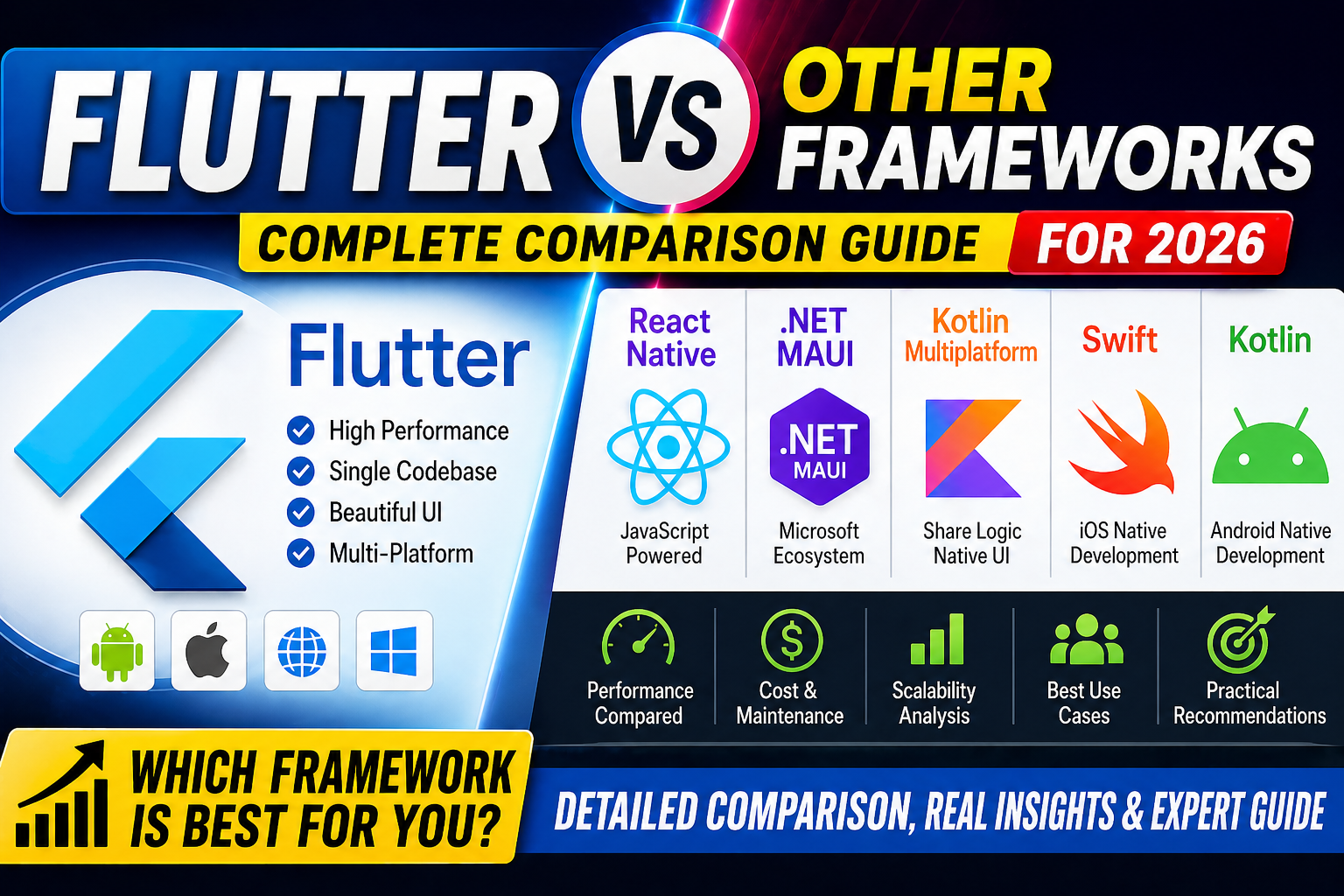
With the rise of cross-platform development, frameworks like Flutter, React Native, .NET MAUI, Kotlin Multiplatform, Swift, and Kotlin have become the backbone of modern application development.
However, the real challenge is not the availability of options, but the confusion they create.
This guide provides a deep, structured, and practical comparison of Flutter and other frameworks, helping you make a clear and confident decision based on real-world scenarios.
The Growth of Cross-Platform Development in 2026
The software development landscape has shifted significantly in recent years, with cross-platform frameworks becoming a default choice rather than an alternative. Businesses are no longer willing to maintain separate teams and codebases for Android, iOS, and web applications unless absolutely necessary.
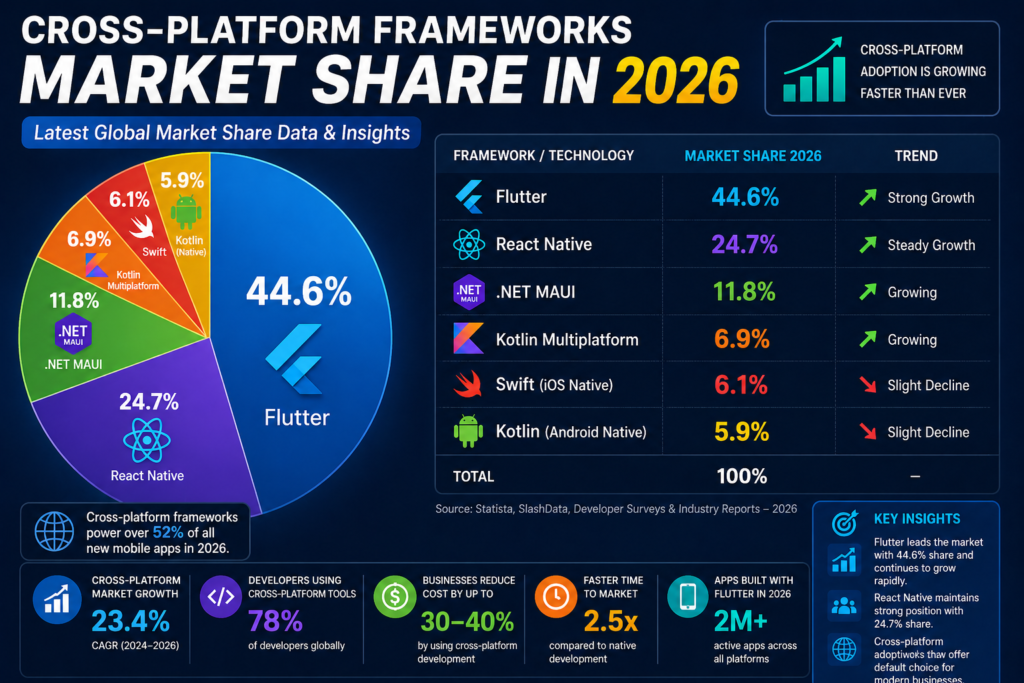
Industry projections indicate that by 2026, more than 60% of new applications will be built using cross-platform technologies. This shift is driven by increasing pressure to reduce development time, optimize engineering costs, and deliver consistent user experiences across multiple platforms.
Flutter continues to gain momentum in this space due to its unified architecture, predictable performance, and ability to scale across mobile, web, and desktop environments. As digital products evolve, frameworks that reduce complexity while maintaining performance will dominate the market.
Understanding the Modern App Development Landscape
Before comparing frameworks, it is important to understand how they are categorized.
1. Cross-Platform Frameworks
These frameworks allow developers to build applications for multiple platforms using a single codebase.
Examples include:
- Flutter
- React Native
- .NET MAUI
- Kotlin Multiplatform
Why teams choose cross-platform:
- Faster development
- Reduced cost
- Easier maintenance
- Single team management
2. Native Frameworks
Native frameworks are platform-specific.
Examples include:
- Swift (iOS)
- Kotlin / Java (Android)
Why teams choose native:
- Maximum performance
- Full hardware control
- Deep platform integration
Flutter vs React Native (Most Popular Comparison)
This is the most common comparison because both frameworks aim to solve the same problem: build apps for multiple platforms using a single codebase.
Core Difference
- Flutter uses Dart and its own rendering engine
- React Native uses JavaScript and a bridge to native components
This architectural difference defines everything else.
Flutter vs React Native Comparison Table
| Factor | Flutter | React Native |
|---|---|---|
| Rendering | Own engine | Native components via bridge |
| Performance | High, consistent | Can degrade with heavy bridge usage |
| UI Consistency | Same across platforms | Depends on platform |
| Learning Curve | Moderate | Easy for JS developers |
| Ecosystem | Growing fast | Very large |
When Flutter is Better
- Apps with complex UI and animations
- Products requiring consistent design across platforms
- Long-term scalable apps
- Teams without heavy JavaScript dependency
When React Native is Better
- Teams already skilled in JavaScript
- Projects needing quick MVP
- Apps relying heavily on native components
Real-World Performance Analysis Across Frameworks
Performance is one of the most decisive factors when comparing Flutter with other frameworks. While theoretical benchmarks provide direction, real-world application behavior depends on rendering efficiency, memory consumption, and execution model.
Flutter uses its own rendering engine and compiles directly to native ARM code. This allows it to deliver consistent frame rates and smooth animations even in complex UI scenarios. Applications built with Flutter often maintain stability under heavy workloads such as real-time data updates, high-frequency animations, and dynamic layouts.
In contrast, frameworks that rely on bridging mechanisms may introduce performance overhead in certain scenarios. While this does not impact simple applications significantly, performance differences become noticeable as application complexity increases.
Flutter vs .NET MAUI
This comparison is important for enterprise-level decisions.
Core Difference
- Flutter focuses on UI consistency and performance
- MAUI focuses on integration with Microsoft ecosystem
Flutter vs MAUI Comparison Table
| Factor | Flutter | .NET MAUI |
| Ecosystem | Strong UI toolkit | Strong enterprise integration |
| Performance | Smooth and consistent | Stable but evolving |
| Platforms | Mobile + Web + Desktop | Mobile + Desktop |
| Learning Curve | Moderate | Easy for .NET developers |
When Flutter is Better
- Product-focused companies
- UI-heavy applications
- Cross-platform scaling including web
When MAUI is Better
- Enterprise systems
- Existing .NET infrastructure
- Azure-based applications
Flutter vs Kotlin Multiplatform (KMP)
This comparison is often misunderstood.
Core Philosophy
- Flutter builds UI + logic in one codebase
- KMP shares only logic, UI is written separately
Flutter vs KMP Comparison Table
| Factor | Flutter | Kotlin Multiplatform |
| Code Sharing | Full (UI + Logic) | Logic only |
| UI | Single codebase | Separate UI |
| Performance | Near-native | Native |
| Development Speed | Faster | Slower (due to UI duplication) |
When Flutter is Better
- Faster development cycles
- Single team managing UI and logic
- Consistent UI requirement
When KMP is Better
- Teams deeply invested in Kotlin
- Apps requiring native UI experience
- Partial code sharing use cases
Read : Kotlin vs Flutter – Comparison of Popularity, Performance in 2026
Flutter vs Swift (iOS Native)
Swift represents native iOS development.
Key Difference
- Flutter targets multiple platforms
- Swift is focused only on iOS
Comparison Table
| Factor | Flutter | Swift |
| Platforms | Multi-platform | iOS only |
| Performance | Near-native | Native |
| Development Speed | Faster for multi-platform | Faster for iOS |
| UI Control | High | Native standard |
When Flutter is Better
- Multi-platform apps
- Faster development cycles
- Cost optimization
When Swift is Better
- iOS-only apps
- Deep OS integration
- High-performance requirements
Flutter vs Native Android (Kotlin/Java)
Core Difference
- Flutter uses single codebase
- Native uses platform-specific code
Comparison Table
| Factor | Flutter | Native Android |
| Codebase | Single | Separate |
| Performance | Near-native | Native |
| Development Cost | Lower | Higher |
| Maintenance | Easier | Complex |
When Flutter is Better
- Building for Android and iOS together
- Reducing development cost
- Faster feature releases
When Native is Better
- Hardware-intensive applications
- Platform-specific features
- Maximum performance needs
Real-World Decision Table
| Situation | Best Choice |
| Multi-platform app | Flutter |
| JavaScript team | React Native |
| Enterprise Microsoft stack | MAUI |
| Native iOS app | Swift |
| Native Android app | Kotlin |
| Logic sharing only | Kotlin Multiplatform |
| UI-heavy app | Flutter |
Why Flutter Dominates in 2026
After comparing all frameworks, Flutter consistently sits in a balanced position.
Key Advantages
1. Single Codebase
Build once and deploy everywhere.
2. UI Consistency
Same design across all platforms.
3. Performance
Near-native performance without bridge dependency.
4. Faster Development
Hot reload and unified architecture.
5. Strong Ecosystem
Growing community and package support.
Flutter for Different Use Cases
1. Startups
- Faster MVP development
- Lower cost
- Small team efficiency
2. Enterprises
- Unified development
- Scalable architecture
- Cross-platform strategy
3. SaaS Applications
- Web + mobile integration
- API-heavy applications
- Real-time updates
Flutter and Long-Term Maintenance
Maintenance is where most frameworks fail.
With Flutter:
- Single update affects all platforms
- Bugs are easier to fix
- Testing becomes simpler
- UI remains consistent
This significantly reduces long-term cost.
Development Cost vs Long-Term Value
Choosing a framework is not only a technical decision but also a financial one. Initial development cost, maintenance cost, and scalability all contribute to the total cost of ownership.
Flutter reduces development cost by enabling:
- A single codebase for multiple platforms
- Smaller development teams
- Faster development cycles
- Simplified maintenance
Over time, these factors result in significant cost savings, especially for startups and growing businesses. In contrast, maintaining separate native applications increases both development and operational expenses.
From a long-term perspective, Flutter provides a strong return on investment by minimizing duplication and simplifying updates across platforms.
Read : How to Design Flutter Enterprise App Architecture in 2026: Scalable & AI-Ready App Systems
Flutter Migration Strategy
Many companies switch to Flutter when:
- React Native performance issues appear
- Maintaining two native apps becomes costly
- Need for web and desktop expansion arises
Migration should be done in phases:
- Start with new features
- Gradually replace modules
- Maintain app stability
Impact on Development Speed and Team Structure
Framework selection has a direct impact on developer productivity and team efficiency. Flutter simplifies the development process by allowing a single team to manage multiple platforms using one codebase.
This approach reduces:
- Coordination overhead between platform-specific teams
- Code duplication across platforms
- Time required for feature synchronization
- Testing complexity
Features like hot reload further enhance productivity by enabling faster iteration cycles and real-time UI updates. As a result, teams can focus more on product development rather than environment management.
In comparison, native development or partially shared architectures often require additional effort to maintain consistency across platforms, which increases both development time and operational complexity.
Mistakes Developers and Businesses Should Avoid
Many teams make framework decisions based on trends rather than actual requirements. This often leads to long-term issues in performance, scalability, and maintenance.
Common mistakes include:
- Choosing a framework based only on popularity
- Ignoring long-term maintenance cost
- Underestimating scalability requirements
- Not considering team expertise
- Overlooking ecosystem and community support
A well-informed decision should consider project goals, team skills, and long-term product vision rather than short-term convenience.
How to Choose the Right Framework for Your Project
Instead of comparing frameworks in isolation, it is more effective to evaluate them based on your specific use case.
Ask the following questions:
- Do you need multi-platform support from the beginning?
- Is UI consistency a priority?
- What is your team’s technical expertise?
- What is your expected scale in the next 2–3 years?
- Do you need deep platform-specific integrations?
If your goal is to build a scalable, multi-platform application with consistent design and lower maintenance overhead, Flutter becomes a strong and practical choice.
Final Verdict
There is no single “best framework” for every situation.
However, Flutter offers the most balanced solution in 2026 by combining:
- Performance
- Flexibility
- Scalability
- Cost efficiency
For most modern applications, especially those targeting multiple platforms, Flutter becomes the practical and future-ready choice.
Read : Download Flutter SDK (Windows) — Also for Mac & Linux
FAQ
Flutter generally provides better performance and UI consistency, but React Native is still a good choice for JavaScript-based teams.
Flutter delivers near-native performance and handles animations and UI smoothly.
Yes, Flutter is one of the best choices for building Android, iOS, web, and desktop apps from a single codebase.
Yes, many enterprises use Flutter for scalable and maintainable applications.
Yes, migration is possible and often improves performance and maintainability.
Yes, because it uses a single codebase and requires fewer developers.