In modern software development, API testing has become one of the most important parts of building reliable applications. Whether you are a Flutter developer, backend engineer, mobile app tester, or full-stack developer, using a professional API testing tool can significantly improve your workflow. One of the most popular API testing tools used worldwide is Postman.
If you are searching for a complete guide on how to download Postman in Windows, install it correctly, and start using it for API development and testing, this detailed tutorial will help you step by step.
This guide is specially written for beginners, Flutter developers, Laravel developers, Node.js developers, and API testers who want a professional understanding of Postman in 2026.
If you are Beginner in API testing Follow This Article:
Postman Tutorial 2026: From Beginner to Expert (Complete Guide)
What is Postman?
Postman is a powerful API development and testing platform that allows developers to send HTTP requests, test APIs, manage authentication, debug responses, and automate API workflows.
Initially launched as a Chrome extension, Postman has now evolved into a full-featured desktop application used by millions of developers globally.
Using Postman, developers can:
- Test REST APIs
- Send GET, POST, PUT, DELETE requests
- Debug API responses
- Work with JSON data
- Test authentication systems
- Create API collections
- Share APIs with teams
- Automate API testing
- Generate API documentation
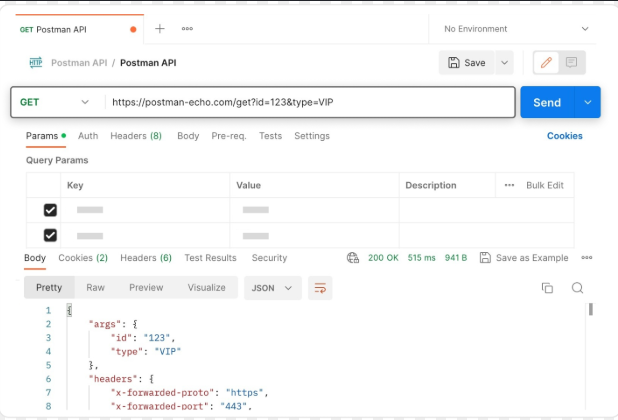
For Flutter developers, Postman is extremely useful while integrating APIs into mobile applications.
Why Postman is Important for Developers in 2026
In 2026, almost every application depends on APIs. Whether you are building:
- Flutter apps
- Laravel backends
- Node.js APIs
- Firebase integrations
- AI-based applications
- E-commerce apps
- Authentication systems
- Payment gateways
You will need a reliable API testing tool.
Postman helps developers verify API responses before integrating them into applications. This reduces debugging time and improves development speed.
Some major benefits of using Postman include:
Easy API Testing
You can test APIs without writing frontend code.
Faster Development
Developers can quickly verify endpoints during development.
Better Debugging
Postman shows headers, response status, errors, response time, and raw JSON data.
Team Collaboration
Teams can share API collections and environments.
Automation Support
Postman supports automated API testing and scripting.
For Free Mock API Testing : Mock API Playground for Flutter Developers – Test Fake REST APIs Online
System Requirements for Installing Postman on Windows
Before downloading Postman for Windows, ensure your system meets the following requirements.
Minimum Requirements
- Windows 10 or Windows 11
- 4 GB RAM
- 500 MB free storage
- Internet connection
Recommended Requirements
- Windows 11 latest version
- 8 GB RAM
- SSD storage
- Modern processor
Postman works smoothly on most modern Windows laptops and desktops.
How to Download Postman in Windows 2026
Follow these steps carefully to download and install Postman on Windows.
Step 1: Visit the Official Postman Website
Open your browser and visit the official Postman website:
Always download Postman from the official website to avoid malware or outdated versions.
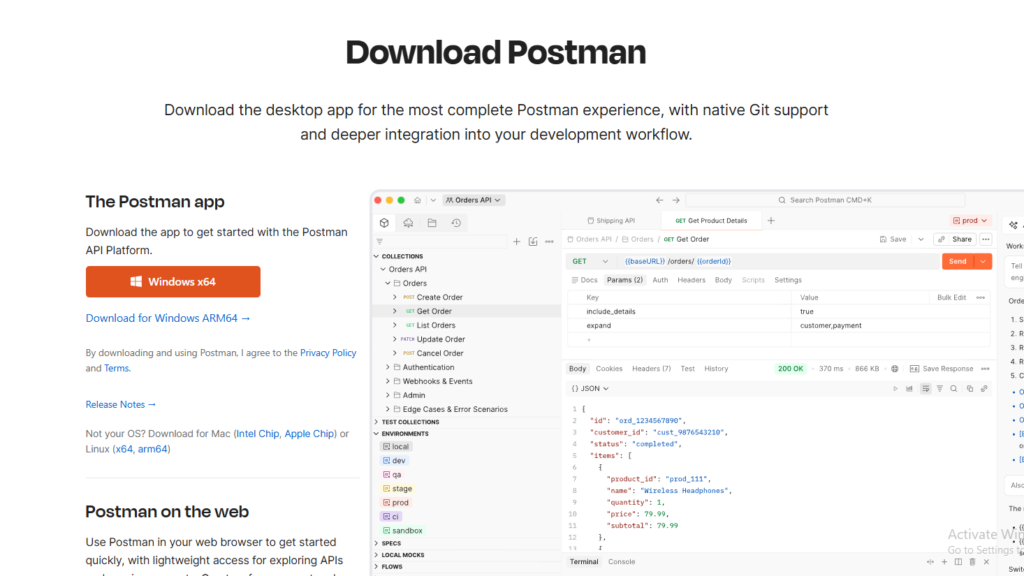
Step 2: Select Windows Version
On the download page, Postman automatically detects your operating system.
Click on:

Most modern systems use the 64-bit version.
If you are using ARM architecture devices, select the ARM version if available.
Step 3: Wait for Download Completion
The Postman installer file size may vary depending on the latest version.
Usually, the installer size is around:
- 150 MB to 250 MB
The download speed depends on your internet connection.
Step 4: Run the Installer
After downloading:
- Open the Downloads folder
- Double-click the Postman installer
- Allow administrator permissions if prompted
The installation process will begin automatically.
Step 5: Complete Installation
Postman installs itself automatically without requiring complex configuration.
After installation:
- Postman will launch automatically
- Desktop shortcut may be created
- Start Menu entry will appear
Step 6: Sign In or Create Account
After opening Postman, you can:
- Sign in with Google
- Create a Postman account
- Continue with lightweight API client mode
Creating an account is recommended because it allows:
- Cloud sync
- API backup
- Workspace sharing
- Collection storage
How to Use Postman After Installation
After installing Postman in Windows, you can start testing APIs immediately.
Understanding the Postman Interface
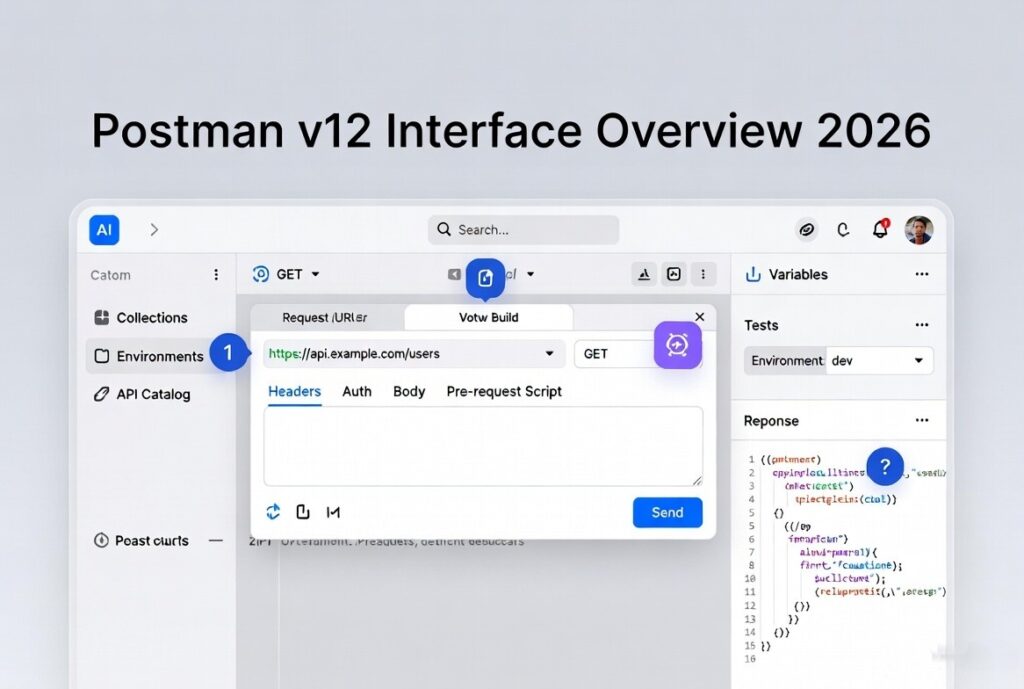
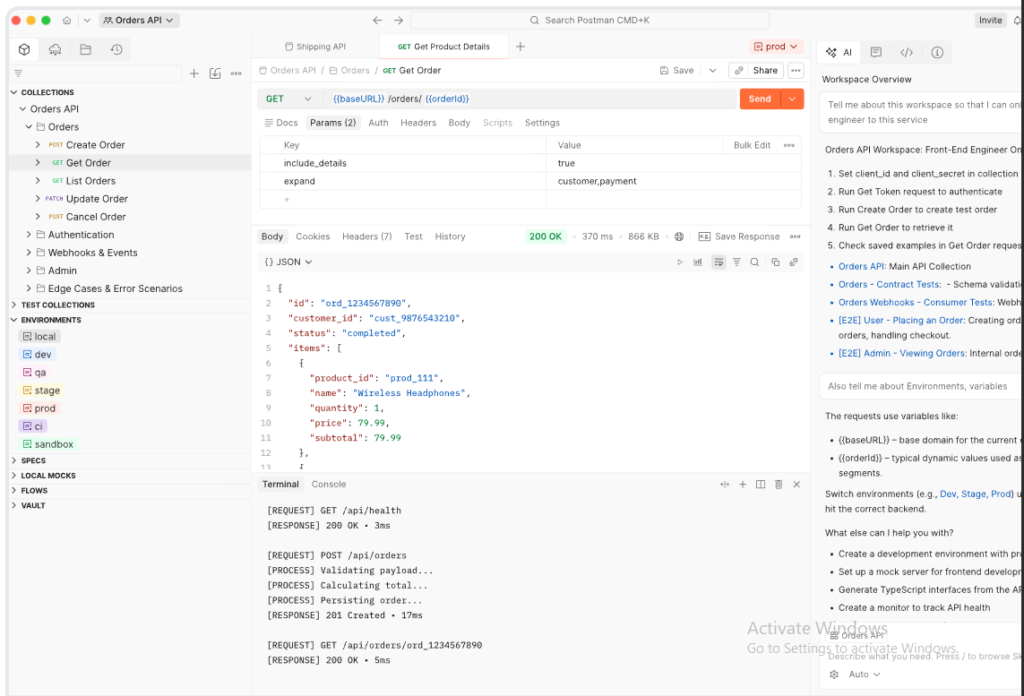
The Postman dashboard contains several important sections.
Workspace
The main area where APIs are managed.
Collections
Used to organize API requests.
Request Builder
Allows sending API requests.
Response Viewer
Shows server responses.
Environment Variables
Useful for storing API URLs and tokens.
How to Send Your First API Request in Postman
Testing your first API request is simple.
Step 1: Create New Request
Click:
- New
- HTTP Request
Step 2: Enter API URL
Example:
https://jsonplaceholder.typicode.com/postsStep 3: Select Request Type
Choose:
- GET
Step 4: Click Send
Postman will display the API response instantly.
You will see:
- Status code
- Response time
- JSON data
- Headers
Common HTTP Methods in Postman
Understanding HTTP methods is important for API testing.
GET Request
Used to fetch data.
POST Request
Used to create new data.
PUT Request
Used to update existing data.
PATCH Request
Used for partial updates.
DELETE Request
Used to remove data.
How to use web Socket API test in POSTMAN in 2026
Read here step by step Guide : How to Test WebSocket APIs in Postman in 2026 (Complete Guide)
How Flutter Developers Use Postman
Flutter developers heavily rely on Postman during API integration.
Before integrating APIs using:
- HTTP package
- Dio package
- Retrofit
- GraphQL
Read : How to Use Dio in Flutter with Full Example (2026)
Developers test APIs in Postman first.
This helps verify:
- API response format
- Authentication
- JSON structure
- Error handling
- Headers
- Token validation
View Free tool : JSON to Dart Model Generator – Convert JSON to Dart Class Online for Flutter Instantly
For Flutter app development, Postman becomes an essential debugging tool.
How Laravel Developers Use Postman
Laravel developers commonly use Postman for:
- Authentication APIs
- Sanctum testing
- Passport token testing
- CRUD APIs
- File upload APIs
- Payment APIs
Postman helps backend developers validate routes before frontend integration.
Best Features of Postman in 2026
Postman continues to improve with advanced developer tools.
AI-Powered API Assistance
Modern Postman versions include AI-assisted workflows.
API Documentation
Generate professional API documentation automatically.
Mock Servers
Create fake APIs for frontend testing.
Environment Management
Switch between development, staging, and production easily.
API Monitoring
Monitor APIs in real time.
Team Collaboration
Share collections with development teams.
Common Problems While Installing Postman on Windows
Sometimes users face installation issues.
Postman Not Opening
Possible causes:
- Corrupted installation
- Antivirus conflict
- Outdated Windows version
Solution:
- Reinstall Postman
- Update Windows
- Run as Administrator
Slow Performance
Possible reasons:
- Low RAM
- Heavy collections
- Background applications
Solution:
- Close unused apps
- Upgrade RAM
- Clear Postman cache
Login Issues
Possible causes:
- Internet problem
- Firewall restrictions
Solution:
- Check internet connection
- Disable VPN temporarily
How to Update Postman in Windows
Postman usually updates automatically.
You can also manually check updates:
- Open Postman
- Go to Settings
- Click Check for Updates
Using the latest version ensures better security and features.
Is Postman Free?
Yes, Postman offers a free version suitable for most developers.
The free version supports:
- API testing
- Collections
- Basic collaboration
- Environment variables
Advanced enterprise features may require paid plans.
Alternatives to Postman
Although Postman is highly popular, some developers also use:
- Insomnia
- Thunder Client
- Hoppscotch
- Swagger UI
- Bruno API Client
However, Postman remains one of the most beginner-friendly and enterprise-ready API tools.
Why Postman is Essential for API Development
API testing is no longer optional in modern application development.
Whether you are building:
- Flutter apps
- Laravel APIs
- AI systems
- SaaS platforms
- E-commerce applications
You need professional API testing.
Postman simplifies development workflows and improves debugging efficiency.
For beginners, it provides an easy learning experience. For professionals, it offers enterprise-level API management capabilities.
Final Thoughts
Downloading and installing Postman in Windows is simple, but mastering it can significantly improve your development workflow.
In 2026, API-driven development is dominating the software industry, and tools like Postman are becoming essential for every developer.
If you are a Flutter developer, backend engineer, or API tester, learning Postman will help you:
- Build faster applications
- Debug APIs efficiently
- Improve backend integration
- Reduce development errors
- Work professionally with APIs
Using Postman regularly will make API testing easier, faster, and more reliable.
For developers following Flutter tutorials and API integration guides on FlutterFever, Postman should become a permanent part of your development toolkit.
FAQ
This is one of the highest-search queries among beginners and developers starting API testing.
Users frequently search for beginner-friendly installation tutorials.
A high-demand query among Flutter, Laravel, and backend developers.
Most beginners want to learn HTTP request testing after installation.
A major keyword searched by mobile and web developers.
Flutter developers often search for API integration workflows using Postman.
Users commonly face installation and compatibility issues.
Important for team collaboration and professional API management.
JWT, Bearer Token, OAuth, and API key testing are highly searched topics.
Many users search for the latest Postman update process and version management.
Keywords
- Postman download for Windows
- Install Postman on Windows 11
- Postman setup guide 2026
- How to install Postman
- Postman API testing tutorials
- Postman for Flutter developers
- Download Postman latest version
- Postman tutorial for beginners
- API testing using Flutterfever Mock API tester
- Postman installation guide