

How to Fix AI API 429 Rate Limit Errors in Flutter — OpenAI, Gemini and Claude

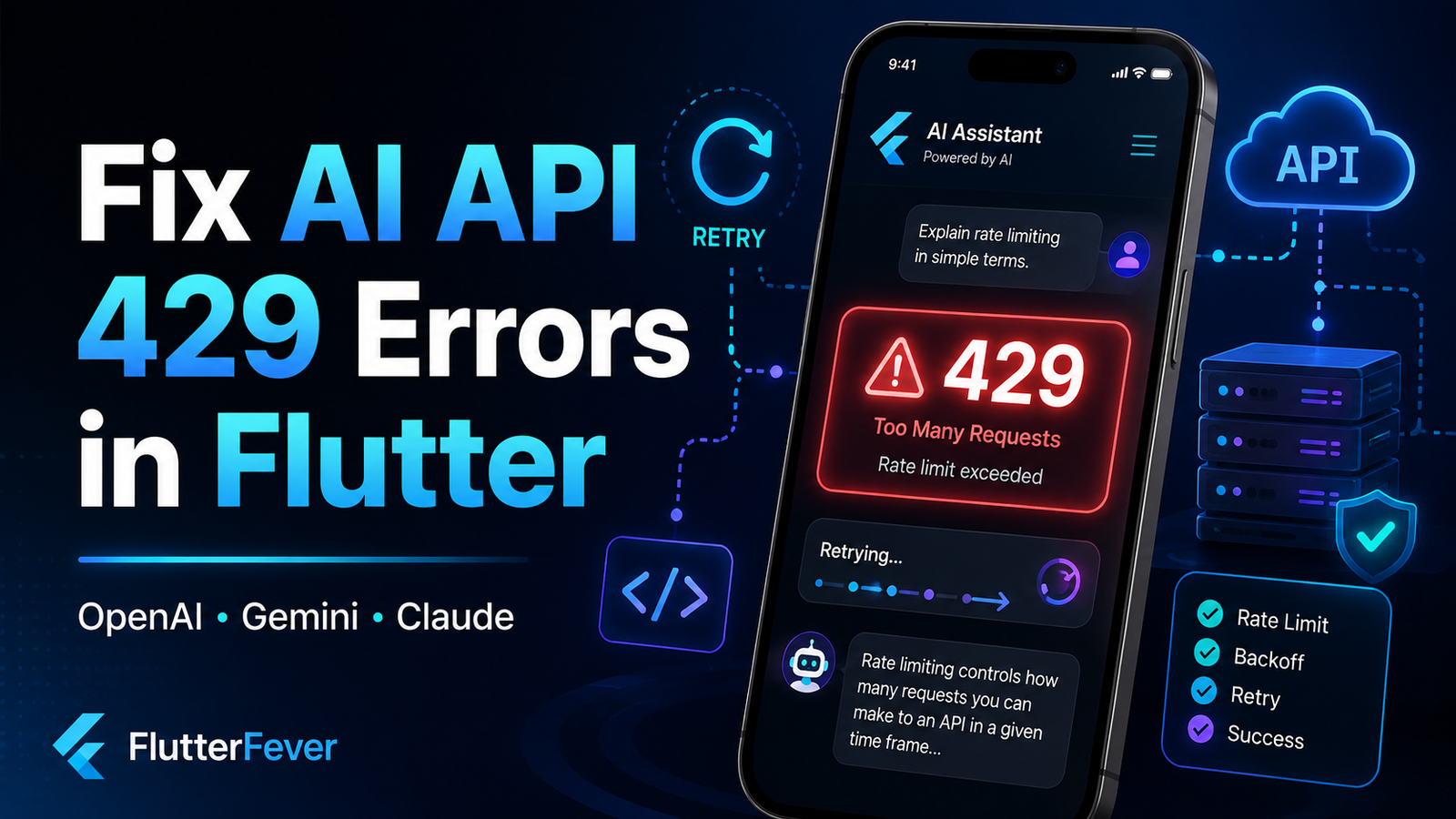
Building an AI-powered Flutter application is often straightforward during development. You send a request to OpenAI, Gemini, or Claude, receive a response, and display it inside your app.
The situation changes once real users start using the application.
You may suddenly start seeing errors such as:
429 Too Many Requestsor:
rate_limit_exceededGemini developers may encounter:
429 RESOURCE_EXHAUSTEDwhile Claude may return:
429 rate_limit_errorThese errors usually mean that your application is sending requests faster than the AI provider allows, consuming too many tokens within a specific period, or exhausting another quota associated with your account or project.
A production Flutter AI application should therefore never treat HTTP 429 as a generic API failure.
It should recognize the error, understand why it occurred, wait intelligently, retry when appropriate, and prevent excessive requests from reaching the AI provider in the first place.
In this guide, we will build a production-oriented strategy for handling OpenAI, Gemini, and Claude 429 rate-limit errors in Flutter.
What Does HTTP 429 Mean?
HTTP status code:
429 Too Many Requestsindicates that a server is currently refusing a request because the client has exceeded an allowed request or usage rate.
With AI APIs, however, “too many requests” does not necessarily mean only that you made too many HTTP calls.
AI providers can enforce several different limits.
Common examples include:
Requests per minute
Tokens per minute
Input tokens per minute
Output tokens per minute
Requests per day
Concurrent requests
Spend limits
Model-specific limits
For example, Gemini currently documents multiple quota dimensions including requests per minute (RPM), tokens per minute (TPM), and requests per day (RPD). Limits are applied at the project level and vary by model and usage tier.
Claude similarly applies limits including requests per minute, input tokens per minute, and output tokens per minute.
OpenAI also applies model- and usage-tier-specific limits rather than using one universal limit across every model.
This distinction is important.
You can receive a 429 error even when the number of requests appears low.
Read : GenUI + Firebase AI in Flutter (2026): Building Dynamic, AI-Driven User Interfaces
Why Flutter AI Apps Commonly Hit 429 Errors
Several patterns commonly produce rate-limit problems in mobile applications.
1. Sending Every User Interaction to the AI
Imagine a search field like this:
TextField(
  onChanged: (value) {
    askAI(value);
  },
)
If the user types:
How can I fix Flutter Gradle erroryour application could send dozens of API requests while the user is still typing.
That is an easy way to exhaust request limits.
2. Users Tapping the Send Button Multiple Times
A slow AI response may make the user believe the first tap did not work.
They tap again.
And again.
Your app may now send:
Request 1
Request 2
Request 3
Request 4
with exactly the same prompt.
Apart from creating rate-limit pressure, it also wastes API credits.
3. Sending Large Conversation Histories
Consider an AI chat application.
The first request might contain:
500 tokensAfter several messages:
5,000 tokensLater:
25,000 tokensIf every request includes the complete conversation history, token consumption rises rapidly.
You may therefore hit a token-per-minute limit before hitting a request-per-minute limit.
Read : How to Build AI in Dart & Flutter (Beginner to Advanced Guide with DartPad Examples) – 2026
The Three Main Rate-Limit Metrics
Understanding these metrics makes debugging much easier.
Requests Per Minute — RPM
RPM limits how many requests may be sent within a particular period.
Example:
Allowed: 60 requests/minute
Actual: 80 requests/minute
Your provider may begin rejecting requests with HTTP 429.
Tokens Per Minute — TPM
AI APIs also limit the amount of token processing your application can request.
For example:
Request 1 = 15,000 tokens
Request 2 = 12,000 tokens
Request 3 = 18,000 tokens
Even though only three requests were sent, the total token volume may be enough to hit your TPM limit.
This is why simply counting HTTP requests is not sufficient.
Input and Output Token Limits
Claude is particularly explicit about separating token rate limits into:
ITPM = Input Tokens Per Minute
OTPM = Output Tokens Per Minute
Claude’s official documentation states that exceeding one of its applicable rate limits returns a 429 response and can include a retry-after header indicating how long the application should wait.
That means a very large prompt can create rate-limit pressure even when the request count is small.
OpenAI 429 Rate-Limit Errors in Flutter
OpenAI rate limits depend on factors such as:
Model
Usage tier
Requests
Tokens
Account limits
Current OpenAI model documentation displays separate RPM and TPM allowances depending on the model and usage tier, which is another reason developers should not hard-code one global limit into their Flutter application.
A response may resemble:
HTTP 429
rate_limit_exceeded
The important rule is:
Do not immediately resend the same request repeatedly.
An immediate retry can hit the same rate limit again.
Gemini 429 RESOURCE_EXHAUSTED Error
Gemini commonly returns:
429 RESOURCE_EXHAUSTEDGoogle documents that the error may result from exceeding one or more applicable API rate limits, including request, token, daily, or spend-related limits depending on the account and model.
A simplified error might resemble:
{
  "error": {
    "code": 429,
    "status": "RESOURCE_EXHAUSTED"
  }
}
Google’s troubleshooting guidance recommends retrying transient 429 RESOURCE_EXHAUSTED errors using exponential backoff, preferably with jitter and a maximum retry count.
Claude 429 rate_limit_error
Claude may return:
429 rate_limit_errorClaude currently rate-limits the Messages API using metrics such as:
RPM
ITPM
OTPM
Anthropic also warns that short traffic bursts can trigger limits even when your overall minute-level average appears acceptable.
This is particularly important for mobile apps where hundreds of users can submit prompts simultaneously.
Claude also returns a useful HTTP header:
retry-afterwhich tells your application how many seconds it should wait before retrying.
The Wrong Way to Handle a 429 Error
A common implementation looks like this:
if (response.statusCode == 429) {
  return sendRequest();
}
Do not do this.
You have created an immediate retry loop:
429
↓
retry
↓
429
↓
retry
↓
429
The provider receives even more traffic while it is already telling your application to slow down.
Correct Solution: Exponential Backoff
Exponential backoff increases the delay after each failed attempt.
For example:
Attempt 1 → wait 1 second
Attempt 2 → wait 2 seconds
Attempt 3 → wait 4 seconds
Attempt 4 → wait 8 seconds
Attempt 5 → wait 16 seconds
Instead of immediately hammering the server again.
The conceptual formula is:
delay = baseDelay × 2^retryAttemptGoogle explicitly recommends exponential backoff for retryable Gemini errors such as 429 and 503.
Flutter Exponential Backoff Example
Here is a reusable implementation.
import 'dart:async';
import 'dart:math';

Future<T> retryWithBackoff<T>({
  required Future<T> Function() request,
  required bool Function(Object error) shouldRetry,
  int maxRetries = 5,
}) async {
  final random = Random();

  for (int attempt = 0; attempt <= maxRetries; attempt++) {
    try {
      return await request();
    } catch (error) {
      if (!shouldRetry(error) || attempt == maxRetries) {
        rethrow;
      }

      final exponentialDelay = pow(2, attempt).toInt();

      final jitterMilliseconds = random.nextInt(500);

      await Future.delayed(
        Duration(
          seconds: exponentialDelay,
          milliseconds: jitterMilliseconds,
        ),
      );
    }
  }

  throw StateError('Unexpected retry state');
}
This gives you three important protections:
Exponential delay
Maximum retry count
Random jitter
Why Jitter Matters
Suppose 5,000 application users receive a 429 at the same time.
Without jitter:
5,000 clients wait 2 secondsThen all 5,000 retry simultaneously.
You have created another traffic spike.
Jitter introduces a small random delay.
For example:
User A → 2.13 seconds
User B → 2.46 seconds
User C → 2.08 seconds
User D → 2.39 seconds
Requests become distributed instead of synchronized.
Google specifically recommends adding jitter when implementing custom Gemini retry logic.
Read : Gemini API in Flutter Using Firebase AI Logic — Complete Production Guide
Handle 429 Separately in Flutter
Suppose you use the http package.
final response = await http.post(
  Uri.parse(apiUrl),
  headers: headers,
  body: body,
);
You should classify your errors.
if (response.statusCode == 429) {
  throw RateLimitException();
}

if (response.statusCode >= 500) {
  throw ServerException();
}

if (response.statusCode >= 400) {
  throw ApiException();
}
Define a dedicated exception:
class RateLimitException implements Exception {
  final Duration? retryAfter;

  RateLimitException({this.retryAfter});
}
This allows your application to treat rate limits differently from:
401 Authentication Error
403 Permission Error
400 Invalid Request
500 Server Error
Read the Retry-After Header
When the provider sends:
Retry-After: 12your application should generally prefer that information over inventing its own shorter retry delay.
Example:
Duration? parseRetryAfter(Map<String, String> headers) {
  final value = headers['retry-after'];

  if (value == null) {
    return null;
  }

  final seconds = int.tryParse(value);

  if (seconds == null) {
    return null;
  }

  return Duration(seconds: seconds);
}
Then:
final retryAfter = parseRetryAfter(response.headers);

if (response.statusCode == 429) {
  throw RateLimitException(
    retryAfter: retryAfter,
  );
}
This is especially useful with Claude because Anthropic documents the retry-after header as part of its rate-limit response behavior.
Combine Retry-After With Exponential Backoff
A strong retry strategy can be:
Use Retry-After if provided
        ↓
Otherwise calculate exponential backoff
        ↓
Add jitter
        ↓
Stop after a maximum number of attempts
Conceptually:
final delay =
    error.retryAfter ??
    calculateBackoff(attempt);
Do not retry forever.
Never Retry Every Error
This is critical.
These responses usually should not receive automatic exponential retries:
400 Bad Request
401 Unauthorized
403 Forbidden
404 Not Found
For example:
401usually means authentication must be fixed.
Retrying it five times will not magically make your API key valid.
Google’s current Gemini guidance similarly recommends restricting automatic retries to transient conditions rather than blindly retrying client errors.
Read : How to Secure AI API Keys in Flutter Apps — Why .env Is Not Enough
Prevent Duplicate Requests in Flutter
One of the simplest protections is disabling Send while a request is active.
bool isGenerating = false;Before sending:
if (isGenerating) return;

isGenerating = true;

try {
  await sendMessage();
} finally {
  isGenerating = false;
}
UI:
ElevatedButton(
  onPressed: isGenerating
      ? null
      : sendMessage,
  child: Text(
    isGenerating ? 'Generating...' : 'Send',
  ),
)
This prevents accidental requests such as:
Send
Send
Send
Send
from reaching your backend.
Debounce AI Search Requests
For AI-powered search, autocomplete, or suggestions, debounce the input.
Bad:
onChanged: (value) {
  askAI(value);
}
Better:
Timer? _debounce;

void onSearchChanged(String query) {
  _debounce?.cancel();

  _debounce = Timer(
    const Duration(milliseconds: 600),
    () {
      searchWithAI(query);
    },
  );
}
Now the request is sent only after the user stops typing for approximately 600 milliseconds.
Throttle Repeated Requests
Debouncing and throttling solve different problems.
Debouncing
Wait until activity stops.
Best for:
Search fields
Prompt suggestions
Autocomplete
Throttling
Allow only a limited number of actions during a window.
Best for:
Voice AI
Realtime interactions
Refresh actions
Repeated buttons
Both can dramatically reduce rate-limit pressure.
Add an AI Request Queue
Imagine 20 AI requests arrive simultaneously.
Instead of:
20 parallel requestsyou can process:
Request 1
Request 2
Request 3
...
or permit controlled concurrency such as:
Maximum 3 concurrent requestsA queue gives you direct control over traffic bursts.
Conceptually:
Flutter requests
      ↓
Queue
      ↓
Concurrency limiter
      ↓
AI provider
This becomes increasingly valuable when your app grows.
Flutter Should Not Be Your Primary Global Rate Limiter
Client-side controls are useful.
But they are not sufficient.
A modified application can bypass them.
A malicious user can call your backend directly.
Therefore production architecture should look more like:
Flutter App
     ↓
Authentication
     ↓
Your Backend / Cloud Function
     ↓
User Rate Limiter
     ↓
Request Queue
     ↓
AI Provider
not:
Flutter
   ↓
AI Provider
Your backend should own the API key and traffic rules.
Add Per-User Rate Limiting
Suppose your app has 10,000 users.
Without your own limits, one user could send hundreds of expensive prompts.
Introduce application-level limits such as:
10 requests/minute/user
100 requests/day/free user
Higher limit/premium user
The exact numbers depend on your product economics.
Your backend should typically identify the user through authentication and maintain usage counters.
Read : How to Secure AI API Keys in Flutter Apps — Why .env Is Not Enough
Token-Based Rate Limiting Is Even Better
Request counts alone may not reflect actual cost.
Compare:
User A
10 requests
200 tokens each
Total:
2,000 tokensUser B
10 requests
10,000 tokens each
Total:
100,000 tokensBoth users made ten requests, but their cost and quota impact are completely different.
For AI applications, token-aware limits can therefore be more meaningful.
Do Not Send the Entire Chat Forever
A common Flutter AI implementation stores:
List<Message> conversation = [];and then sends all messages every time.
Initially:
System prompt
User message
Assistant response
Later:
50 messages
100 messages
200 messages
Input token usage continually grows.
Eventually your application becomes:
slower
more expensive
more likely to hit TPM limits
Use a Sliding Conversation Window
Instead of sending everything:
final context = messages.takeLast(12);Conceptually:
Recent 10-20 messages
+
conversation summary
+
current prompt
This can preserve useful context without repeatedly sending enormous histories.
Summarize Older Messages
Another architecture is:
Messages 1–30
      ↓
Summary
      ↓
Messages 31–40
      ↓
Current question
Instead of sending all 40 raw messages.
Example summary:
The user is building a Flutter ecommerce app using Riverpod,
Firebase Authentication and a Node.js backend. Previous discussion
covered cart state management and payment integration.
That compact representation may replace thousands of historical tokens.
Limit Maximum Output Tokens
Sometimes your token rate limit is being consumed by overly long responses.
Instead of allowing unnecessarily large outputs, configure a suitable maximum according to the provider and model you use.
For example, your product may need:
400–800 tokensrather than several thousand tokens for every answer.
Use the smallest output budget that still satisfies the product requirement.
Cache Repeated AI Responses
Suppose many users ask:
What is Flutter?or:
How do I reset my password?You may not need to call the AI API every time.
Architecture:
User Question
      ↓
Cache lookup
   ↙       ↘
Found     Missing
 ↓           ↓
Return       AI API
cached         ↓
response      Cache
Possible caching infrastructure includes:
Redis
Database
Cloudflare
Server memory
Firebase-backed storage
Cache carefully when responses contain user-specific or sensitive information.
Detect Duplicate Prompts
Users often resend the same question because the UI appears stuck.
You can generate a stable hash from a normalized prompt:
normalized prompt
+
user ID
+
model
+
relevant context version
If the identical request is already being processed:
do not create another AI requestInstead, return or subscribe to the existing request.
This pattern is sometimes called request coalescing or single-flight behavior.
Streaming Does Not Eliminate Rate Limits
Developers sometimes assume streaming responses solve rate limits.
They do not.
Streaming primarily improves perceived latency and user experience.
Your request can still consume:
Input tokens
Output tokens
Request quota
and is still subject to provider limits.
Use streaming for UX, not as your rate-limit strategy.
Retry Streaming Carefully
Streaming introduces another complication.
Suppose the model already generated:
The best way to fix this Flutter error is...and the connection fails.
If you restart the entire generation automatically, the user may see duplicated text.
For streaming requests, track whether meaningful output has already been delivered.
Your retry policy may need to differ between:
Failure before first tokenand:
Failure after partial outputA failed pre-stream request is usually much safer to retry than an interrupted response after substantial content has already been generated.
What If OpenAI, Gemini or Claude Is Overloaded?
Not every temporary AI failure is caused by your rate limit.
For example, Anthropic distinguishes a normal account rate-limit error:
429 rate_limit_errorfrom:
529 overloaded_errorwhen the API itself is temporarily overloaded.
Your application should therefore distinguish between:
Rate limited
Provider overloaded
Authentication failure
Network failure
Invalid request
rather than displaying one generic message.
Provider Fallback Strategy
Advanced production applications may support multiple providers.
Architecture:
Flutter App
     ↓
AI Gateway
     ↓
Primary Provider
     ↓
429 / temporary failure
     ↓
Fallback Provider
Example:
Primary → OpenAI
Fallback → Gemini
Fallback 2 → Claude
However, fallback should be used carefully.
Different models have different:
Prompt formats
Capabilities
Costs
Context limits
Tool-calling behavior
Safety policies
Output characteristics
A provider switch should therefore be a deliberate product design rather than a random retry mechanism.
Do Not Put Provider Switching Logic Everywhere
Avoid code like:
if (openAiFailed) {
  callGemini();
}

if (geminiFailed) {
  callClaude();
}
inside multiple Flutter widgets.
Create an abstraction.
For example:
abstract class AiProvider {
  Future<String> generate(String prompt);
}
Implement:
OpenAIProvider
GeminiProvider
ClaudeProvider
Then use a centralized service:
AiGatewayThe gateway can handle:
Retries
Backoff
Fallback
Logging
Provider selection
Cost rules
Create Friendly Flutter Error Messages
Never show your user:
HTTP Error 429 RESOURCE_EXHAUSTEDMost users do not know what that means.
Instead:
AI is receiving a high number of requests right now.
Please try again in a few seconds.
Or when you know the retry time:
Too many requests. Try again in 12 seconds.For repeated failure:
The AI service is temporarily busy. Please try again shortly.Example Flutter Error UI
String mapApiError(Object error) {
  if (error is RateLimitException) {
    final retryAfter = error.retryAfter;

    if (retryAfter != null) {
      return 'Too many requests. Try again in '
          '${retryAfter.inSeconds} seconds.';
    }

    return 'The AI service is busy. Please try again shortly.';
  }

  return 'Something went wrong. Please try again.';
}
Your technical logs can contain the actual diagnostic information while the UI remains understandable.
Log 429 Errors on the Backend
If your app starts producing 429 errors frequently, guessing is not enough.
Track fields such as:
Provider
Model
Timestamp
User ID
Request ID
Status code
Retry count
Input tokens
Output tokens
Request duration
Retry-After value
Then you can discover patterns.
Example:
90% of 429 errors happen between 7 PM and 9 PM.or:
One API route consumes 70% of token quota.or:
One user is generating hundreds of requests.Without observability, these problems are much harder to diagnose.
Read : How to Secure AI API Keys in Flutter Apps — Why .env Is Not Enough
Monitor Provider Rate-Limit Headers
Where available, HTTP response headers can expose information about remaining limits or reset times.
Claude, for example, documents several headers that expose request and token limit information along with reset information.
Your backend can record these headers for monitoring.
Do not build brittle business logic that assumes every provider exposes identical headers.
Use a provider-specific adapter.
Why Increasing Your Rate Limit Is Not Always the First Fix
A developer receives:
429and immediately thinks:
I need a higher API plan.
Sometimes yes.
But first check whether your app is inefficient.
You may discover:
duplicate requests
unbounded conversation histories
unnecessary background calls
no debounce
no cache
multiple retries
excessively large output limits
Increasing your quota without fixing these issues simply increases your potential cost.
Rate Limiting vs Billing Problems
A 429 can sometimes be connected to broader quota or account conditions depending on the provider.
For example, Gemini’s documentation distinguishes rate-limit and quota conditions under HTTP 429 and recommends examining the returned error information rather than relying only on the HTTP status number.
Therefore inspect:
HTTP status
Provider error code
Provider error message
Response headers
Account usage dashboard
Do not diagnose the problem based solely on:
statusCode == 429A Better Production Architecture
A robust Flutter AI architecture may look like this:
             Flutter App
                  │
                  ▼
             Authentication
                  │
                  ▼
              Your API
                  │
       ┌──────────┴──────────┐
       │                     │
       ▼                     ▼
 User Rate Limiter       Abuse Detection
       │
       ▼
 Request Deduplication
       │
       ▼
 Prompt / Token Optimizer
       │
       ▼
       Cache
       │
       ▼
 Request Queue
       │
       ▼
 Provider Adapter
       │
       ▼
 Retry + Backoff + Jitter
       │
       ▼
 OpenAI / Gemini / Claude
Notice how rate-limit handling is not one if statement.
It is part of the application architecture.
Example Production Retry Flow
A good flow can be:
Send request
     ↓
Successful?
  ↙      ↘
Yes      No
 ↓        ↓
Return   Check error
           ↓
          429?
       ↙        ↘
      No        Yes
      ↓          ↓
Normal      Read Retry-After
error            ↓
              Wait
                 ↓
            Add jitter
                 ↓
         Retry under limit
                 ↓
        Max attempts reached?
            ↙          ↘
          No           Yes
          ↓             ↓
        Retry      Graceful error
Example Reusable Dart Retry Helper
Here is a more realistic helper:
import 'dart:async';
import 'dart:math';

class RateLimitException implements Exception {
  final Duration? retryAfter;

  RateLimitException({
    this.retryAfter,
  });
}

Future<T> executeAiRequest<T>({
  required Future<T> Function() request,
  int maxRetries = 4,
}) async {
  final random = Random();

  for (int attempt = 0; attempt <= maxRetries; attempt++) {
    try {
      return await request();
    } on RateLimitException catch (error) {
      if (attempt == maxRetries) {
        rethrow;
      }

      final fallbackSeconds = pow(2, attempt).toInt();

      final baseDelay =
          error.retryAfter ??
          Duration(seconds: fallbackSeconds);

      final jitter = Duration(
        milliseconds: random.nextInt(500),
      );

      await Future.delayed(
        baseDelay + jitter,
      );
    }
  }

  throw StateError('AI request retry loop exited unexpectedly.');
}
Usage:
final result = await executeAiRequest(
  request: () async {
    return aiService.generate(prompt);
  },
);
Now retry behavior lives in your service layer instead of every screen.
Add a Circuit Breaker for Severe Failure
For larger apps, consider a circuit breaker.
If a provider fails repeatedly:
Request
 ↓
429
 ↓
429
 ↓
429
 ↓
429
stop sending requests temporarily.
Example:
Provider state = OPENFor the next 30 seconds:
Do not call providerThen allow a small test request.
If it succeeds:
Provider state = CLOSEDIf it fails again:
Keep circuit openThis prevents thousands of users from continuously hammering an unavailable or heavily throttled endpoint.
Read : How to Secure AI API Keys in Flutter Apps — Why .env Is Not Enough
Add Backpressure
Backpressure means your application refuses to accept unlimited work when the downstream system cannot process it quickly enough.
For example:
Queue size = 100When the queue reaches the limit:
Reject or delay additional requestsrather than allowing memory usage and API traffic to grow indefinitely.
This is particularly valuable for:
AI agents
Document processing
Image generation
Bulk summarization
Large chat platforms
Recommended Strategy for OpenAI
For OpenAI-powered Flutter applications:
- Keep the API key on your backend.
- Monitor the rate limits associated with the specific model and your current usage tier.
- Handle HTTP 429 separately.
- Respect provider retry information when available.
- Use exponential backoff with jitter.
- Limit retries.
- Reduce token-heavy conversation history.
- Add per-user limits.
- Queue high-concurrency workloads.
- Monitor usage before requesting larger limits.
OpenAI model rate limits differ by model and usage tier, so developers should check the currently selected model’s documentation rather than copying a fixed limit from an old tutorial.
Read : Firebase App Check for Flutter AI Apps — Protect Your Backend and API Endpoints from Abuse
Recommended Strategy for Gemini
For Gemini:
429 RESOURCE_EXHAUSTEDcan indicate that one of the applicable quota dimensions has been exceeded.
Google recommends exponential backoff for retryable errors and suggests adding jitter when implementing custom retry logic.
Also monitor your active limits because Gemini rate limits can vary by:
Model
Project
Usage tier
Request volume
Token volume
Other applicable quotas
Google states that rate limits are applied per project rather than individually per API key.
Recommended Strategy for Claude
For Claude:
429 rate_limit_errormeans an applicable rate limit was reached.
Monitor:
RPM
ITPM
OTPM
and respect:
retry-afterwhen provided.
Anthropic also notes that sharp increases in API traffic can trigger acceleration-related rate limiting, so production traffic should be ramped up gradually rather than suddenly jumping from minimal usage to very large request bursts.
Read : OpenAI vs Gemini vs Claude for Flutter Apps — Cost, Speed, Features and Best Use Cases
OpenAI vs Gemini vs Claude 429 Handling
| Provider | Common 429 Response | Important Limit Types | Recommended Action |
|---|---|---|---|
| OpenAI | 429 rate_limit_exceeded | RPM, TPM and model/tier limits | Backoff, reduce traffic, inspect model limits |
| Gemini | 429 RESOURCE_EXHAUSTED | RPM, TPM, RPD and applicable quota/spend limits | Backoff, inspect project quota |
| Claude | 429 rate_limit_error | RPM, ITPM, OTPM | Respect retry-after, backoff, reduce bursts |
The exact limits change across models, tiers and accounts.
That is why your application should be designed around dynamic error handling rather than hard-coded quota numbers.
Production Checklist for Flutter Developers
Before releasing your Flutter AI app, verify the following.
Client
- Disable repeated Send actions
- Debounce AI-powered search inputs
- Show clear loading states
- Display user-friendly 429 messages
- Prevent duplicate requests
- Cancel obsolete requests where possible
Backend
- Keep AI API keys server-side
- Add per-user rate limits
- Track token consumption
- Add request deduplication
- Implement queues
- Add exponential backoff
- Add jitter
- Respect provider retry headers
- Limit maximum retry attempts
- Log provider errors
- Monitor 429 frequency
- Add circuit breakers where necessary
AI Optimization
- Limit unnecessary conversation history
- Summarize old messages
- Use reasonable output-token limits
- Cache reusable responses
- Avoid duplicate prompts
- Choose an appropriate model for the workload
Final Thoughts
A 429 error is not merely something you should hide with:
try {
  ...
} catch (_) {}
It is a signal that your AI architecture needs to control how traffic reaches the model.
The strongest Flutter AI applications solve this at several layers:
Flutter UI
+
Backend
+
Request queue
+
Token optimization
+
Caching
+
Rate limiting
+
Retry strategy
+
Observability
If your application simply retries every failed OpenAI, Gemini, or Claude request immediately, it may work during development but fail quickly under real user traffic.
Instead, implement:
exponential backoff
+
jitter
+
Retry-After support
+
request throttling
+
deduplication
+
token optimization
+
backend rate limits
With these mechanisms in place, HTTP 429 becomes a manageable production condition rather than an application-breaking error.
Read : Codex CLI, OpenAI Codex, ChatGPT Codex — How to Build Flutter Apps Smartly in 2026
Frequently Asked Questions
1. What does 429 mean in a Flutter AI app?
HTTP 429 means the AI API has temporarily rejected your request because an applicable request, token, quota, or similar rate limit has been exceeded.
2. How do I fix OpenAI 429 errors in Flutter?
Handle the error separately, wait before retrying, implement exponential backoff with jitter, reduce unnecessary requests and tokens, and check the rate limits associated with your OpenAI model and usage tier.
3. What is Gemini 429 RESOURCE_EXHAUSTED?
Gemini uses 429 RESOURCE_EXHAUSTED when an applicable API quota or rate-limit condition has been exceeded. Check your project’s current limits and the returned error information.
4. What does Claude rate_limit_error mean?
Claude’s 429 rate_limit_error means your organization or workspace has reached an applicable request or token rate limit. Claude can also return a retry-after header telling you how long to wait.
5. Should Flutter automatically retry a 429 error?
It can, but not immediately and not indefinitely. Use a limited exponential-backoff strategy and respect provider retry information where available.
6. What is exponential backoff?
Exponential backoff increases the wait time after successive failures, for example:
1s → 2s → 4s → 8s → 16sThis reduces pressure on the API.
7. What is jitter?
Jitter adds a small random delay to retries so thousands of clients do not retry at exactly the same moment.
8. Can a large Flutter AI prompt cause a 429 error?
Yes. AI providers can enforce token-per-minute limits, so one or several large prompts may hit a token quota even when request counts are relatively low.
9. Does streaming prevent 429 errors?
No. Streaming changes how the response is delivered but the request is still subject to provider request and token limits.
10. Should I retry a 401 error like a 429?
Normally no. A 401 usually indicates an authentication problem. Fix the credentials rather than repeatedly retrying the request.
11. Can multiple users share the same AI API rate limit?
Often yes, depending on how the provider applies limits to your project, organization, workspace, model or account. That is why a backend-level global limiter is important.
12. Can caching reduce AI API 429 errors?
Yes. If repeated requests can safely reuse previously generated results, caching can substantially reduce API traffic and token consumption.
13. Should I put OpenAI, Gemini or Claude API keys directly inside Flutter?
No. Production secrets should generally remain on a backend controlled by you because a mobile application can be reverse-engineered and client-side credentials extracted.
14. What is the best retry count for an AI API?
There is no universal number, but a small bounded retry count such as three to five attempts is usually safer than unlimited retries. The exact policy should depend on your application’s latency requirements and provider guidance.
15. How can I prevent users from hitting my AI API repeatedly?
Use authentication and enforce server-side limits per user, subscription tier, IP/device where appropriate, and token usage. Client-side button disabling alone is not a security boundary.
16. Why do I receive 429 even with only a few requests?
You may be hitting token limits rather than request limits, creating short bursts, exceeding another quota dimension, or sharing limits with other traffic from the same project or organization.
17. Should I switch from OpenAI to Gemini or Claude after a 429?
Not automatically in every case. First retry correctly. Provider fallback can be useful for high-availability applications, but model differences in cost, behavior, context, tools and output should be considered.
18. How can I reduce TPM usage in a Flutter chat app?
Send only relevant recent context, summarize older conversations, avoid duplicate prompts, limit unnecessarily large outputs and use caching where appropriate.
19. Where should rate-limit logic live in a Flutter project?
Basic UI protections can live in Flutter, but global rate limiting, provider keys, traffic queues, token budgets and provider retry logic are usually better centralized in your backend or AI gateway.
20. What is the most important fix for production Flutter AI apps?
Do not rely on one technique.
A production solution should combine:
Backend rate limiting
Request deduplication
Exponential backoff
Jitter
Retry-After handling
Token optimization
Caching
Monitoring
Together, these techniques make OpenAI, Gemini and Claude integrations much more reliable under real-world traffic.
Official References
- OpenAI API Documentation – OpenAI API platform, models, usage and current API guidance.
OpenAI API Documentation - OpenAI API Rate Limits – Check current model-specific and account-level API limits before hard-coding RPM/TPM values.
OpenAI API Platform - Google Gemini API Rate Limits – Official documentation covering RPM, TPM, RPD, usage tiers and
429 RESOURCE_EXHAUSTED.
Gemini API Rate Limits - Google Gemini API Errors – Official reference for 429 errors, quota issues and retry behavior.
Gemini API Errors - Claude API Rate Limits – Anthropic’s official documentation for RPM, ITPM, OTPM,
retry-after, acceleration limits and usage tiers.
Claude API Rate Limits - Claude API Errors – Official Anthropic reference explaining
429 rate_limit_error,529 overloaded_errorand other API errors.
Claude API Errors